kuro-screensaver
A retro-CRT 3D screensaver: eight seeded procedural scenes, a full synthetic CRT signal-degradation pass, a self-typing operator-under-attack terminal, and a procedural audio layer. Runs as a native macOS screensaver (live-rendered in Metal), a real Windows
.scr, and in any browser.


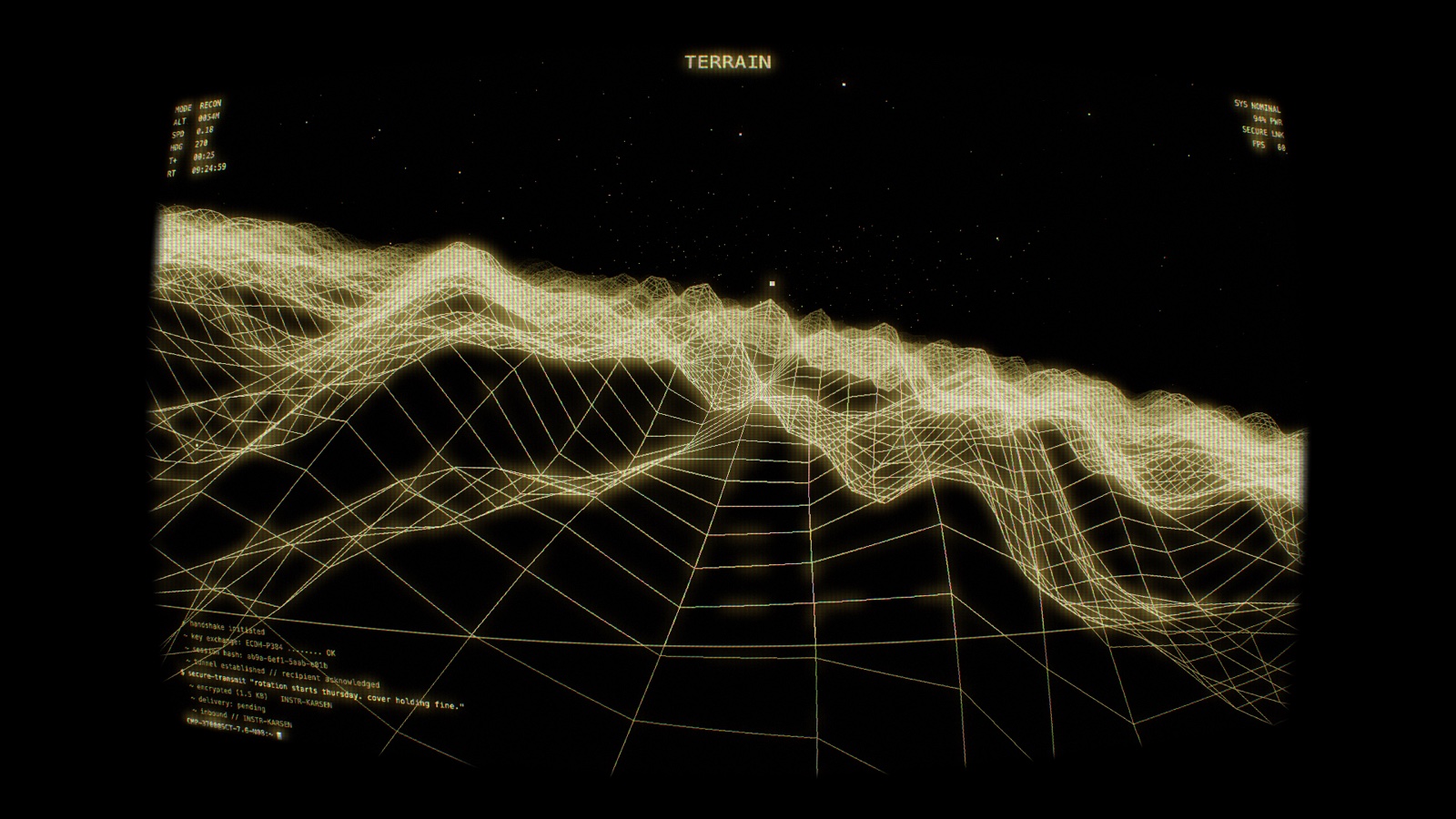
Started life as a browser engine (extracted from the kuro-companion Obsidian
plugin). The headline is a full native rewrite in Metal — a real, live-rendered
macOS screensaver: no WebView, no pre-rendered video, the whole engine running on
the GPU. The web build lives on for in-browser play and cross-platform packaging.
New in v0.10.0 — Windows grows up. The .scr gets the full settings dialog
(looks, seven CRT sliders, story & automation — parity with the macOS app),
multi-monitor support (one panoramic image spanning all displays, or per-monitor
scene/color/off), an animated desktop wallpaper mode with a tray icon
and a power policy that freezes it behind fullscreen apps, on battery, or when
locked — plus a render-scale + adaptive-quality package against dropped frames.
v0.6.0 — the world reacts to the story. As the operator's shift escalates
(ROUTINE → INTRUSION → ALARM → PANIC), the 3D world tightens with it: the fog closes
in, the CRT degrades, the camera hesitates when something is noticed, a storm builds,
and an "enemy" colour bleeds into the geometry — a subtle build that pays off near
PANIC and is released by the crash. On web + native.
Earlier (v0.4.x): web↔native feature parity — analog-CRT pass, dynamic banking flight, one-click Looks, a cinematic 5-layer matrix rain (also a selectable MATRIX scene), plus a native flat-HUD toggle and richer preset colours.
Gallery
Eight seeded procedural scenes, each recolorable by any of 13 phosphor presets:
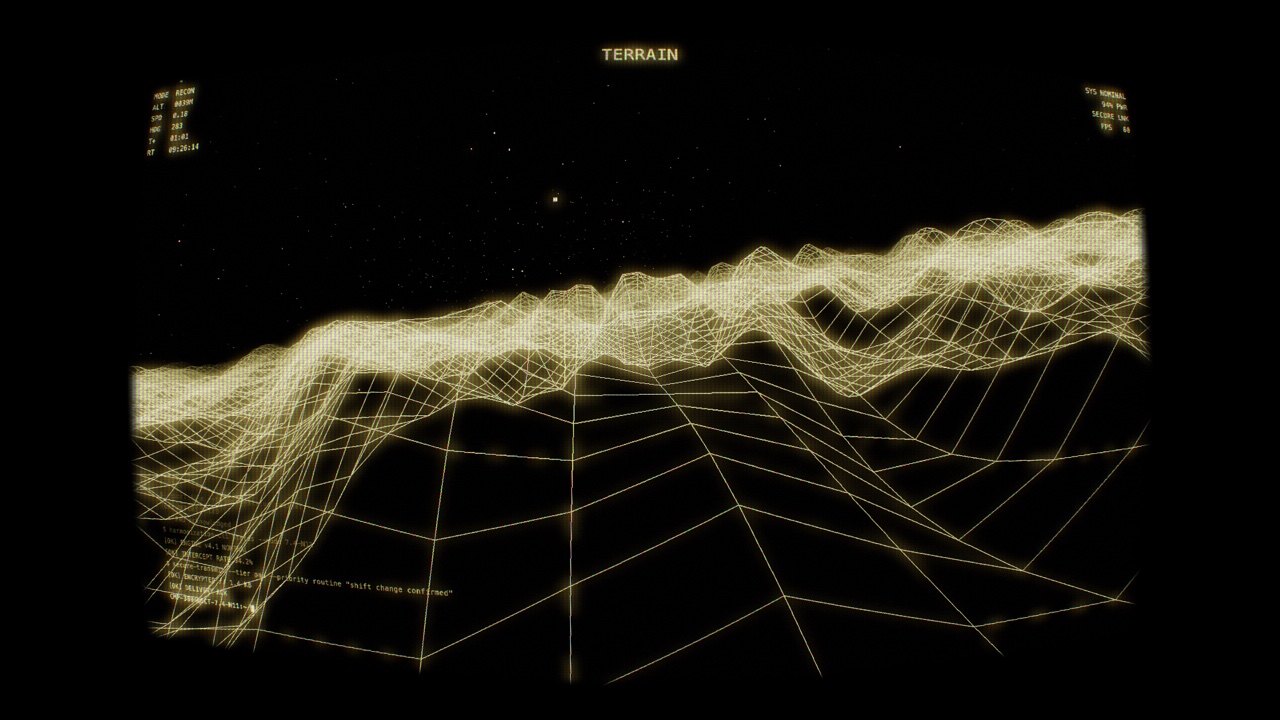 TERRAIN — seam-free infinite wireframe landscape, banking flythrough |
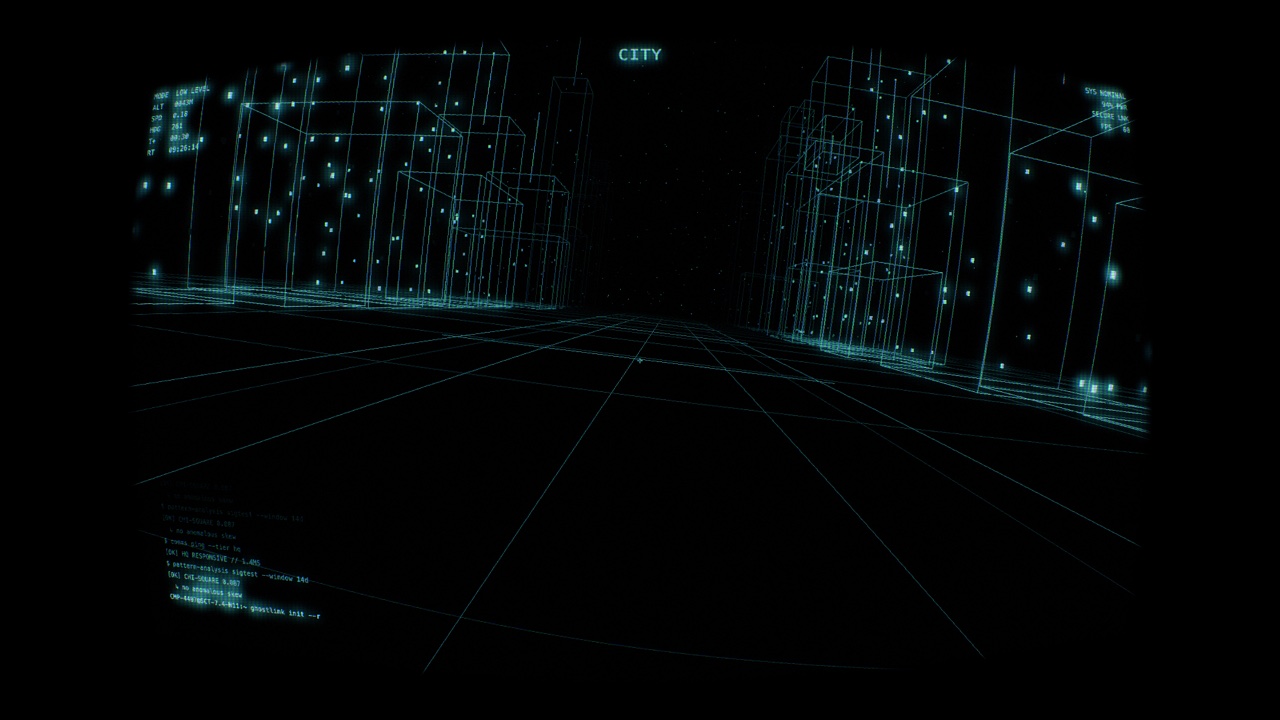 CITY — banking down a neon-wireframe corridor |
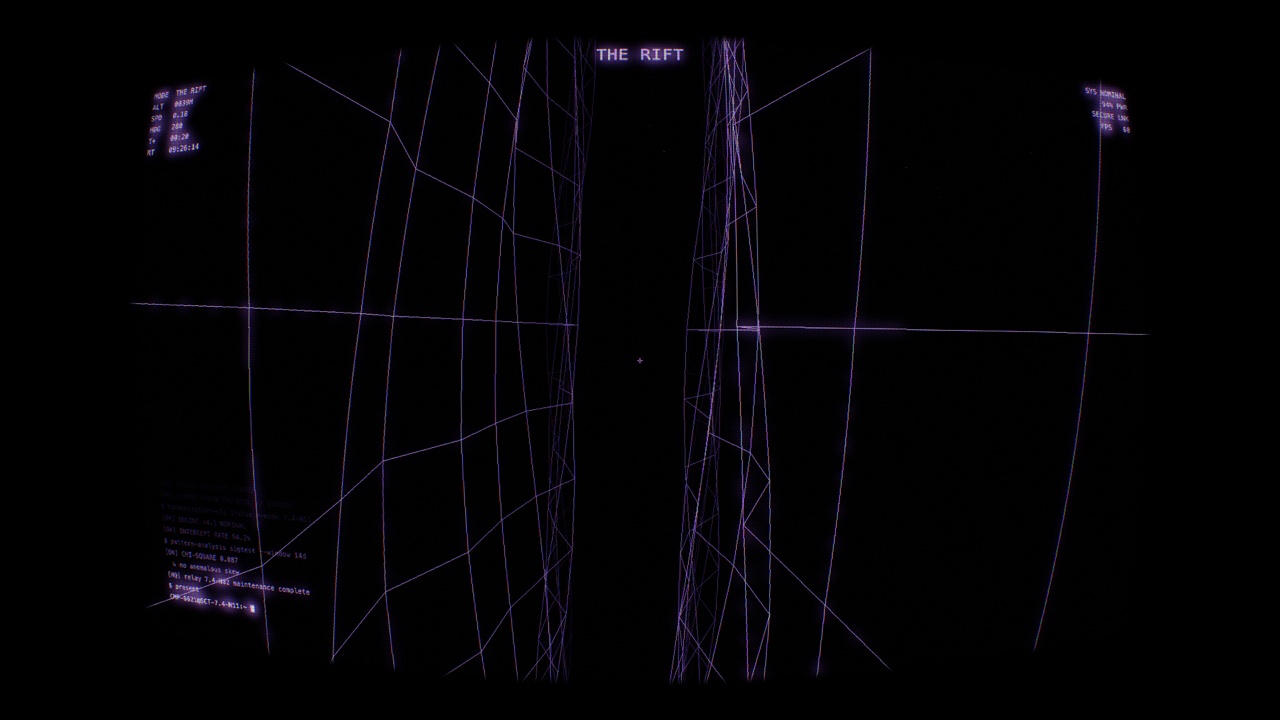 THE RIFT — barrel-roll dynamics through a fracture |
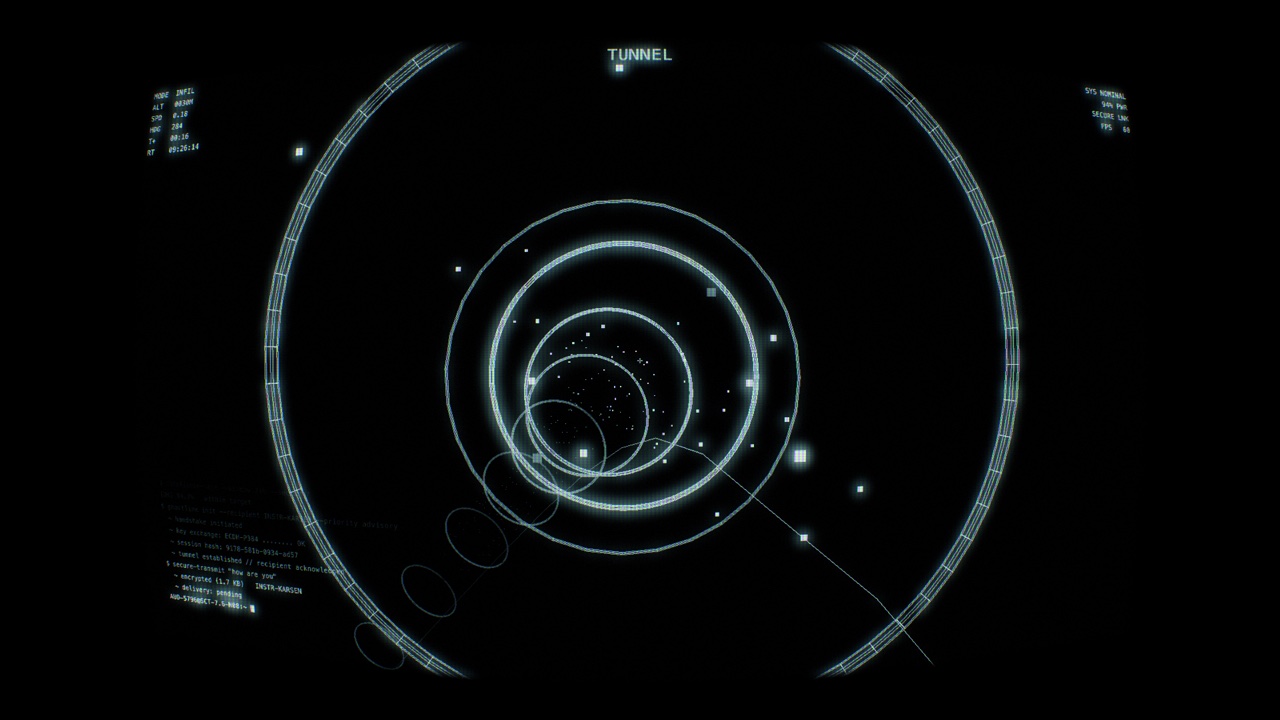 TUNNEL — banking flight down a Catmull-Rom spine |
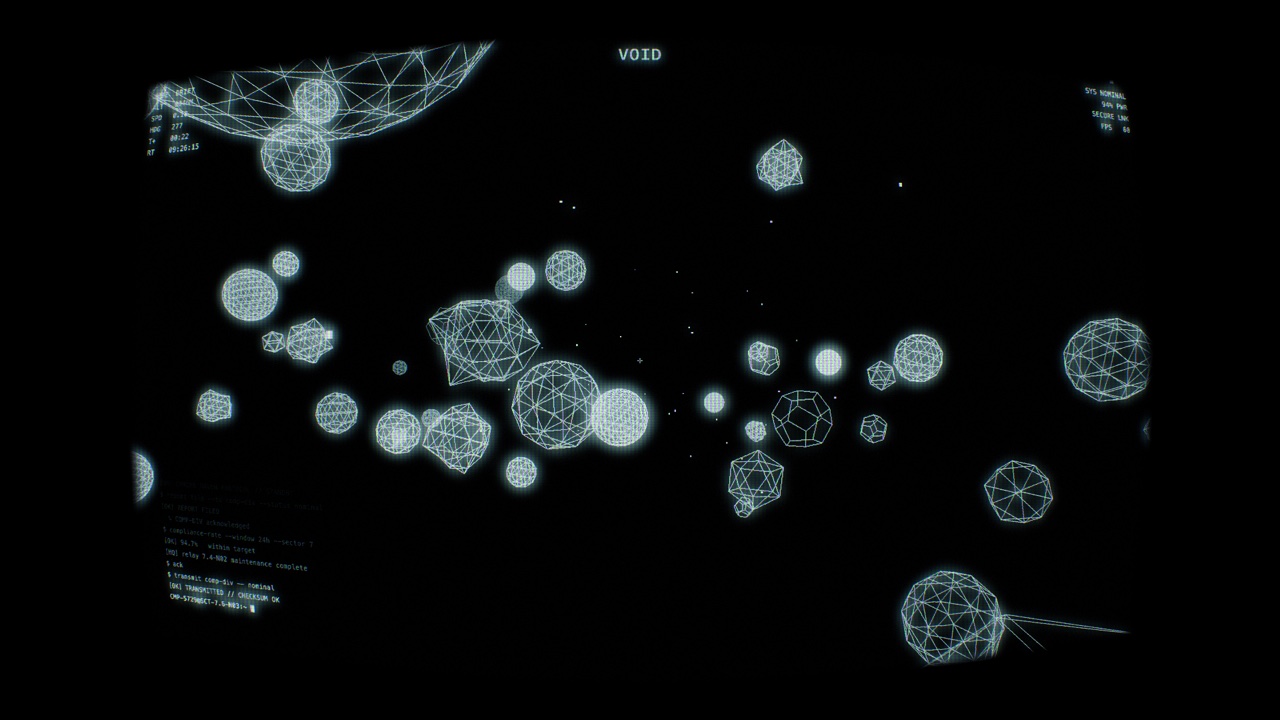 VOID — flythrough an asteroid belt (depth fade-in) |
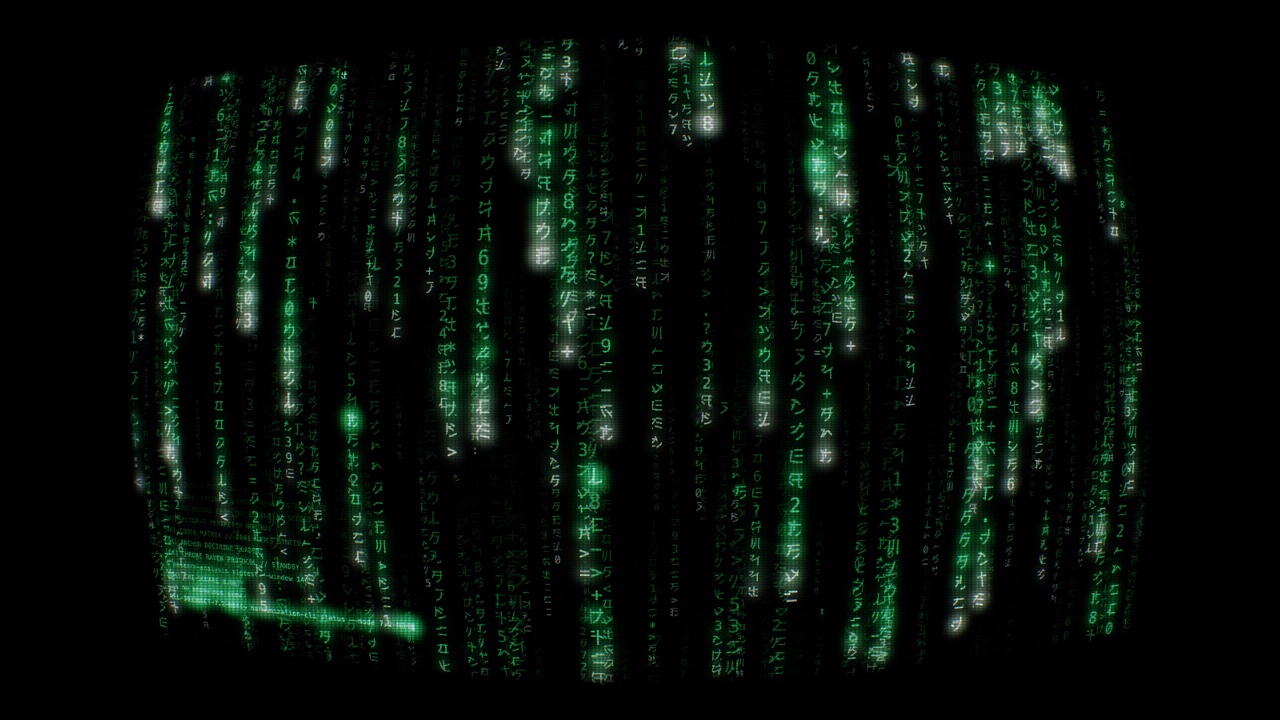 MATRIX — multi-layer 3D-depth digital rain |
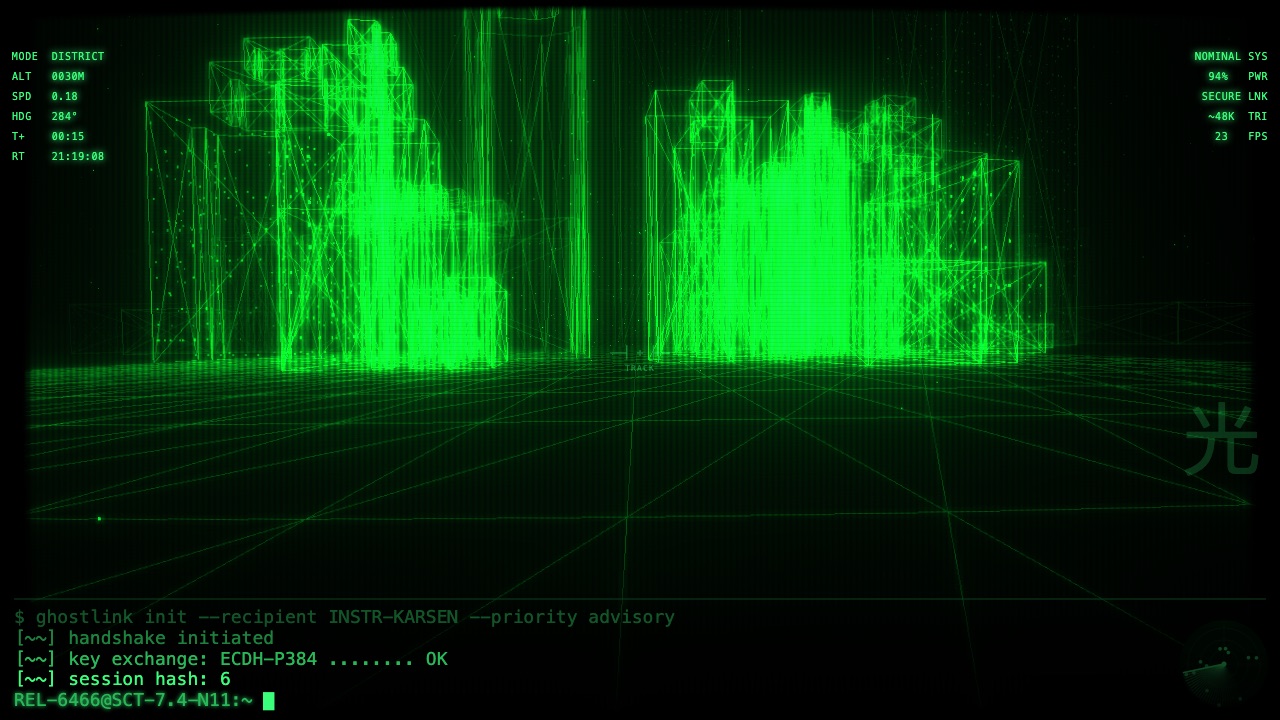 METRO — a real OpenStreetMap district as a CRT wireframe city |
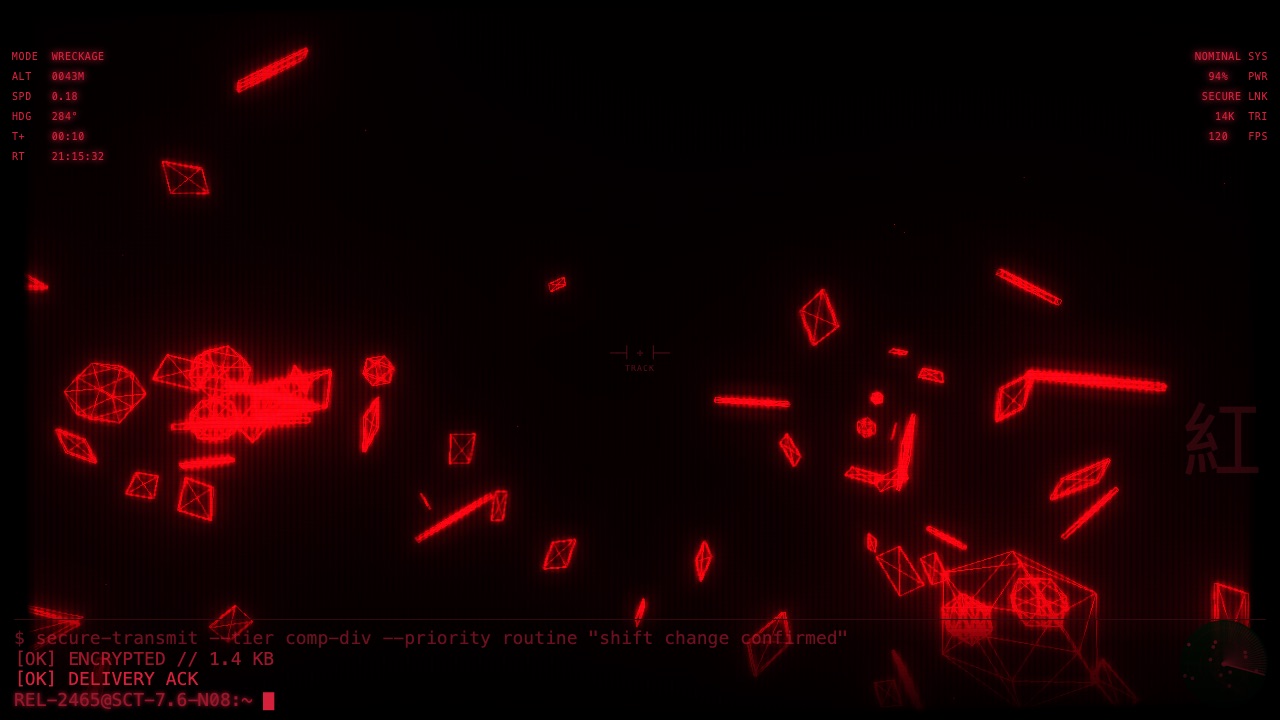 WRECKAGE — drifting debris field, evasive flight |
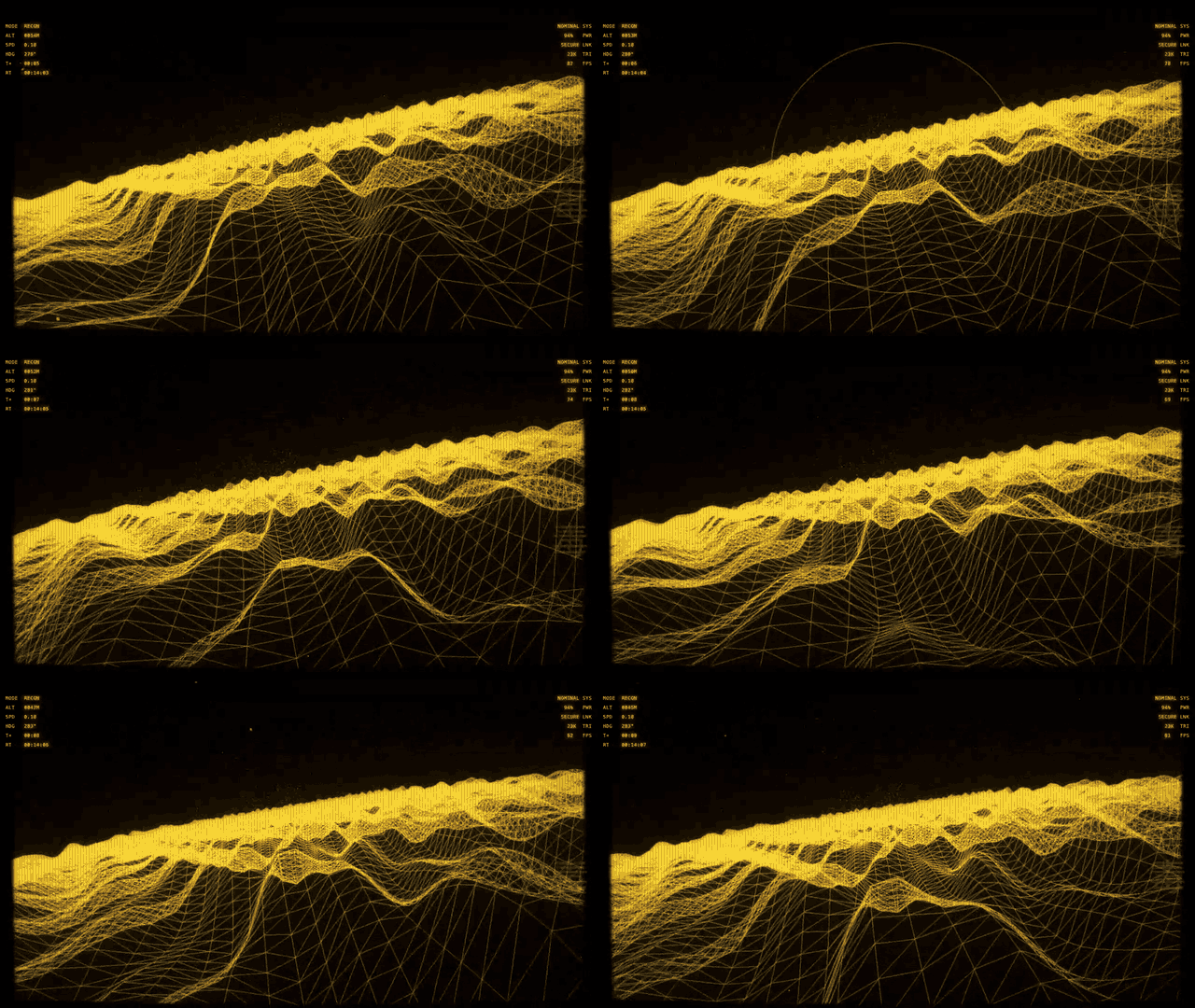
Live engine — dynamic banking flight over the terrain (Toxic Haze)
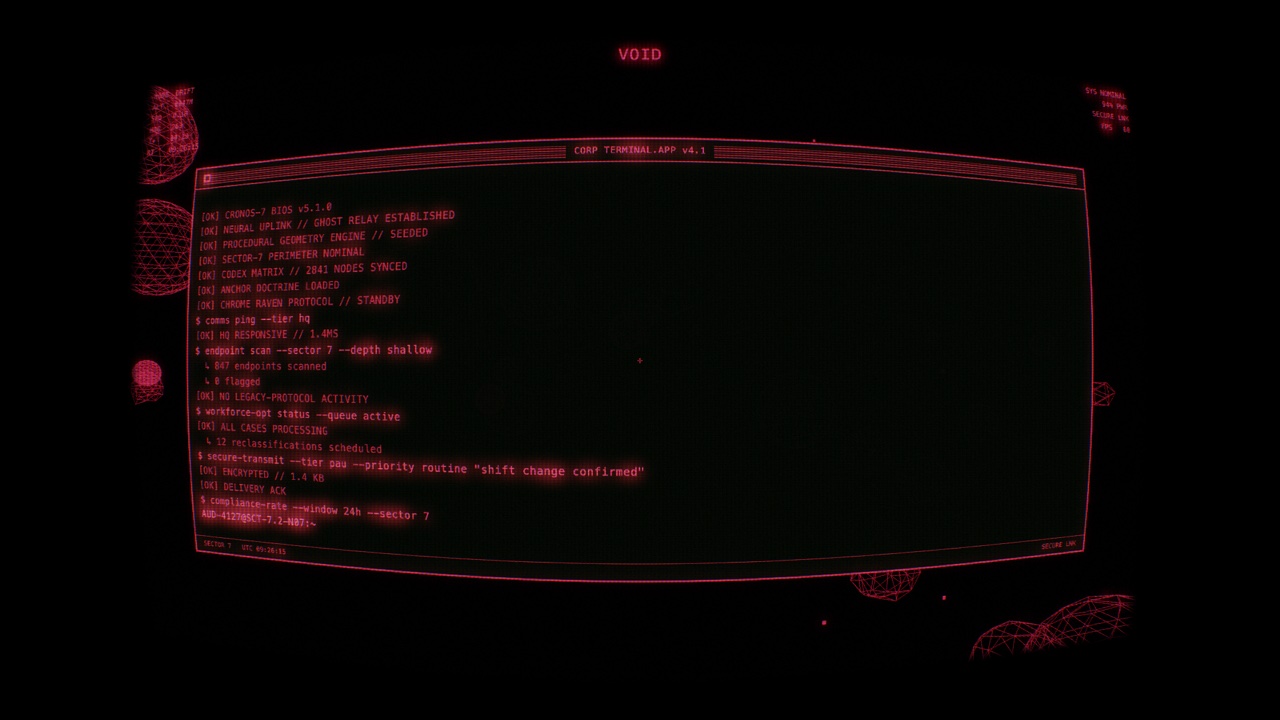
The narrative terminal in its Apple-Lisa center-window layout (also available as a bottom strip or full-width band)
13 phosphor presets
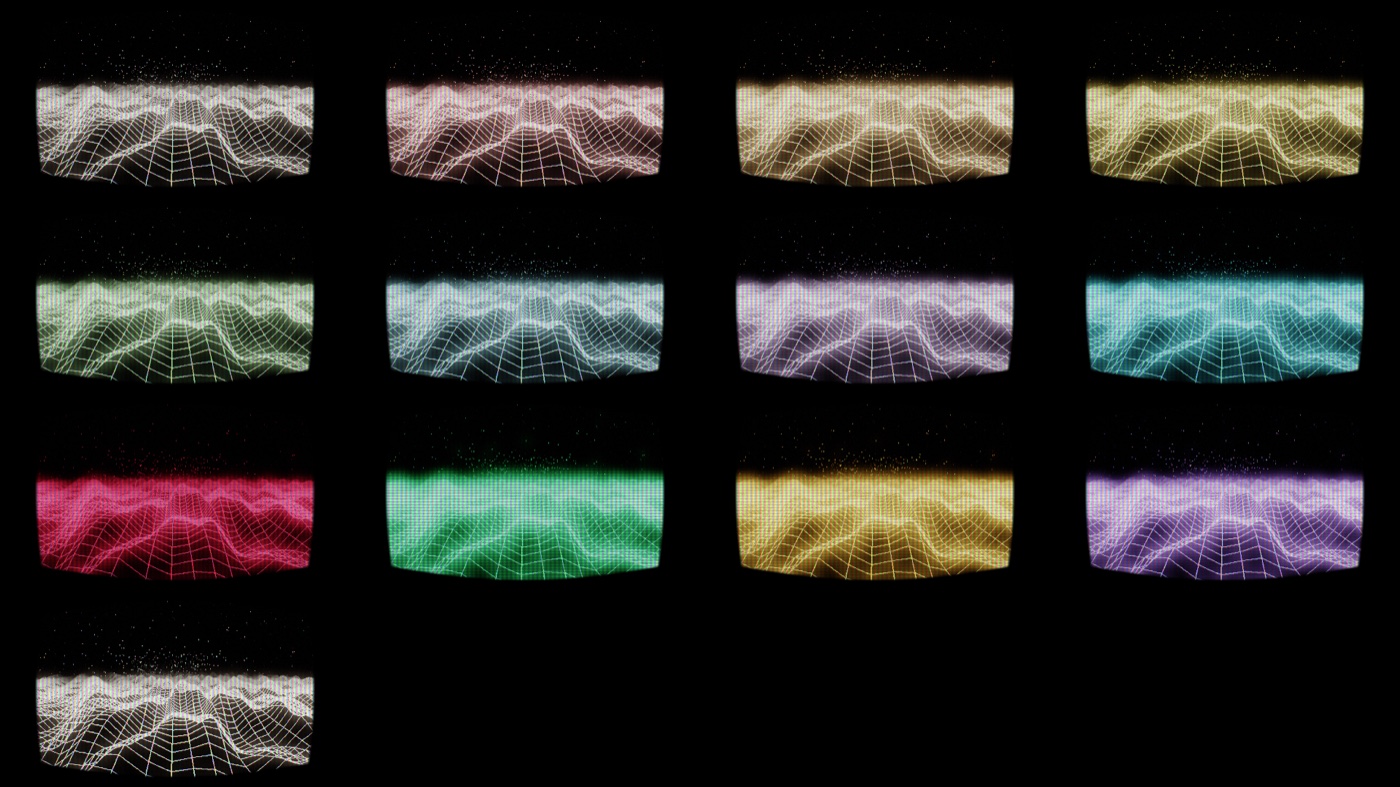
Kuro · Neural Bleed · Rust Signal · Toxic Haze · Biolink · Ghost Protocol · Voidwitch · Circuit · Crimson · Phosphor · Ember · Spectre · Pearl
The story that never repeats the same way
Each run is a CORP compliance operator's shift, told through the narrative
terminal: ROUTINE → INTRUSION → ALARM → PANIC → SILENCE. An encrypted
"ghostlink" backchannel to a former instructor (INSTR-KARSEN) answers in
koans — growing guarded, then silent, as things worsen; HQ turns automated and
hollow; the operator drafts, hesitates, and deletes. Every shift differs (role ×
trait × HQ tier × which exchanges fire). When the shift ends the system
crashes — a choreographed CRT collapse to a power-off line, black, then an
unstable reboot into a fresh shift with a new persona.

Signal failure → glitch storm → power-off collapse → dead screen → reboot → new shift. In the pre-rendered video screensaver this black moment is also the seamless loop point — the loop is diegetic, not a hidden crossfade.
Download
macOS — native app · notarized (recommended)
The live Metal screensaver as a standalone app — full procedural variation, every CRT effect, the whole narrative.
↓ KuroScreensaver-native-app-macos.dmg → open, drag KuroMetalApp.app to Applications, launch. Turn on auto-start-on-idle in its settings to use it as a real screensaver.
Notarized + stapled with a Developer ID — it opens cleanly, no Gatekeeper warning. Requires macOS 14+ (Apple Silicon).
Windows 11 (.scr + animated wallpaper)
A real .scr — since v0.9.0 a tiny native host (~270 KB zip, no bundled
runtime; the old ~65 MB .NET package is history). WebView2 does the rendering
and is built into Windows 11 (on Windows 10 the host shows a download link if
it's missing). It understands multi-monitor setups, and ships an animated
desktop wallpaper as its own app (KuroWallpaper.exe, since v0.11.0) with
its own settings.
| Download | Run |
|---|---|
| ↓ KuroScreensaver-Setup.exe | Easiest: one-click installer, per-user, no admin rights. |
| ↓ KuroScreensaver-windows.zip | Manual: unzip into a folder you keep, right-click KuroScreensaver.scr → Install. |
Full steps + troubleshooting: docs/WINDOWS-INSTALL.md.
Or just play it in a browser: pages.jkaindl.de/kuro-screensaver.
All versions: releases page.
The Windows
.scris unsigned, so SmartScreen warns on first run — click "More info" → "Run anyway" (once). Full notes: docs/WINDOWS-INSTALL.md.The old macOS
.saverbuilds (pre-rendered video.savers + the legacy WebGL.app/.saver) were retired in v0.5.0 — the notarized native app above replaces them.
Features
- Eight procedural 3D scenes —
TERRAIN · CITY · THE RIFT · TUNNEL · VOID ·
  WRECKAGE · METRO
plus a static MATRIX rain scene. METRO flies a real OpenStreetMap district, baked at build time so the saver stays fully offline. Dynamic banking flight: a weaving camera that banks into its turns (adjustable strength, always-level start) with occasional eased maneuvers; seam-free infinite terrain; a Catmull-Rom tunnel spine; barrel rolls in The Rift. Same seed → same run. - Narrative terminal — the full operator's-shift story (INSTR-KARSEN ghostlink, HQ escalation drafts, hesitations, last words) driven by a realistic typewriter over a phase-modulated script bank, in three layouts: a bottom strip, a full-width band, or an Apple-Lisa center-window.
- Retro-CRT suite — screen curvature, aperture-grille phosphor mask, phosphor persistence trails, bloom + warm halation, NTSC dot-crawl, scanlines + vignette, a power-on flash, and a glitch chain (H-sync tear, V-roll, flicker, black frames, static) feeding the diegetic crash→reboot. One intensity knob, or per-effect sliders.
- Looks — one-click vibe presets (Clean · Heavy CRT · Broken Terminal · Vaporwave · Matrix) that set every effect at once.
- HUD overlay — tactical info panels, crosshair, scene-label slab, real-time clock, plus a power-on + BIOS boot sequence.
- Procedural audio — a synthetic CRT hum + Carpenter-style soundscape. No audio assets.
- Day/night + weather, 13 color presets, scene auto-cycle, and auto-start-on-idle (native app).
- Multi-monitor (Windows) — span one panoramic image across every display (portrait monitors show their tall slice of it), or configure each monitor individually: on with its own scene + color, random, or off.
- Animated wallpaper (Windows) — the engine behind your desktop icons, as its own app: a tray icon (pause / settings / autostart / quit), a settings tab with a complete set of values independent of the screensaver's, and a power policy that suspends it when hidden, frozen behind fullscreen apps, or on battery.
- Performance controls — render-scale slider plus adaptive quality that first dials back effects, then resolution, when frames drop.
Native macOS app: Swift + Metal (shaders compiled at runtime — no Xcode needed). Web / cross-platform builds: TypeScript + three.js (WebGL2).
Usage
- macOS app — launch
KuroMetalApp.app: the config window has a live preview, one-click Looks, and every slider; Start fullscreen (Enter) runs the saver, ←/→ switch scenes with a warp transition, any other input exits. Enable auto-start-on-idle to use it as the real screensaver, or Set as wallpaper for an animated desktop. - Windows
.scr— right-click → Install, then configure via the Windows screensaver dialog (Settings…): scene/color/tempo, Looks, CRT sliders, story & automation, per-monitor setup, and the performance section. Every input exits the running saver. - Windows wallpaper — Start menu → Kuro Wallpaper (from the ZIP:
double-click
KuroWallpaper.exe). It starts the wallpaper and opens its settings, where the Wallpaper tab holds a full set of values independent of the screensaver's. The tray icon pauses/resumes, opens settings, toggles autostart, and quits. - Browser — launch the web app:
1–9pick scenes,←/→cycle,Mmutes,Ppauses,Sscreenshots, Esc exits; the control bar (mouse) exposes everything else.
Details, troubleshooting, and the full Windows walkthrough: docs/WINDOWS-INSTALL.md · docs/MACOS-INSTALL.md.
Build
Native macOS app (Metal — Xcode-free)
bash scripts/build-native-app.sh       # build + sign → native/macos/build/KuroMetalApp.app
bash scripts/package-native-app.sh     # + notarize + staple → dist-native/ (needs a Developer ID)
bash scripts/run-native-tests.sh       # logic tests (assert-based, headless)
The renderer is verified headlessly by rendering frames to PNG
(scripts/build-native-harness.sh) — no window or real screensaver activation
needed.
No build step
The native macOS app deliberately needs no Xcode and no build system beyond
swiftc — the Metal shaders ship as source and compile at runtime, so the
whole app builds from a plain shell script in seconds and stays reviewable as
text. (The web target does use Vite, but only as a bundler for three.js — the
engine itself is framework-free TypeScript.)
Web app
npm install
npm run dev        # Vite dev server → http://localhost:5173
npm run build      # production bundle → dist/
npm run typecheck  # tsc --noEmit (run before committing src/ changes)
The web app exits on Esc; the native app exits on any input and keeps its settings (scene, preset, effects, terminal layout, bank strength…) in a config window with a live preview.
Deterministic image sequences (dev)
scripts/render-sequence.mjs renders a scene as a PNG sequence that is reproducible from its parameters: the engine keeps running on wall-clock APIs, but Playwright drives a faked clock (page.clock, paused before the page loads and advanced by 1000/fps ms per frame), seeds Math.random, pins the engine seed via ?seed= and switches the HUD and the radar ping off via ?hud=off&ping=off. The script starts its own Vite dev server on a free port (the crash sequence comes from the DEV-only window.__kuro hook), so nothing has to run beforehand.
node scripts/render-sequence.mjs --scene city --preset kuro --seed 7 --seconds 9 --fps 30
node scripts/render-sequence.mjs --scene city --crash forward --seconds 1.6   # or --crash reverse
node scripts/render-sequence.mjs --scene city --seconds 2 --check            # render twice, compare
Output goes to render-out/<scene>-<preset>-s<seed>/ as frame-NNNN.png plus bildfolge.json (parameters, time and sha256 per frame, provenance with the commit); an --out directory holding anything else is refused. --check reports byte-identical frames or the maximum pixel difference over R, G and B; measured on Metal, two runs agree to within 2/255 (GPU rounding in the post-FX chain), so a different Chromium or GPU may produce different bytes from the same timeline. Needs ffmpeg for --check.
Architecture at a glance
Native (native/macos/) — a platform-agnostic Metal renderer plus a thin host:
native/macos/
├── KuroNativeSaver/Core/   Platform-agnostic engine (Metal):
│   ├── Renderer · Shaders   scene pass → bloom/trails → CRT composite
│   ├── *Scene.swift         terrain · city · rift · tunnel · void · matrix
│   ├── CameraFly            banked weaving flight choreography
│   ├── Terminal · Script    the operator narrative (+ INSTR-KARSEN ghostlink)
│   ├── Hud · TextRenderer · FontAtlas   overlay + runtime CoreText glyph atlas
│   └── MatrixRain · Synth · Palette · …
├── KuroMetalApp/           Standalone macOS app host (CAMetalLayer + CVDisplayLink)
└── harness/                Headless PNG render harness for verification
Web (src/) — the original engine is plugin-shaped but framework-free
(it never imports from obsidian); host-web/ fulfils the host contract in
the browser, so the same bundle backports into the Obsidian plugin unchanged.
src/engine/   controller · engine/scenes · fx/crt-sim · audio/synth · terminal · hud · data
src/host-web/ plugin-shim · persistence (localStorage) · obsidian-dom-polyfill
Conventions for contributors and AI assistants are in AGENTS.md;
design history is under docs/specs/.
Compatibility
- macOS 14+ — the native app (Apple Silicon; Metal). The 60 fps cap and adaptive quality keep it smooth on weaker GPUs.
- Modern browsers — the web app: Chromium ≥ 90, Firefox ≥ 90, Safari ≥ 14, WebGL2 required.
License
- Code — GNU AGPL-3.0: copyleft with the network-use clause. If you host this engine (or a fork) so others can use it over a network, the source of your variant must also be available under the AGPL.
- Documentation, diagrams and images in this repository — CC BY-SA 4.0.
A commercial license is available for uses the AGPL does not fit (a
proprietary product, a closed-source service, an App Store build) — see
LICENSING.md. Contributions are made under the
Contributor License Agreement; see CONTRIBUTING.md
to get started and SECURITY.md to report a vulnerability.
Release history: CHANGELOG.md.
Third-party data
The METRO scene is seeded by a small real-world building district baked from
OpenStreetMap at build time (scripts/bake-osm-district.mjs →
src/engine/data/osm-district.json). Map data © OpenStreetMap contributors,
licensed under the Open Database License (ODbL) 1.0.
Only vector building footprints are used — no imagery.
Arbeitsregeln (AGENTS.md)
Workspace-Standards (maintainer-lokal): Die verbindliche Leitkonvention steht in
_docs/CONVENTIONS.mdim Multi-Projekt-Workspace des Maintainers,../_docsrelativ zu diesem Repo — nicht Teil dieses Repos, ignorieren falls im Klon nicht vorhanden. Modell comply-or-explain. Offene Punkte fuer dieses Repo siehe Abschnitt "Offene Konventions-Punkte".
Conventions for AI assistants working in this repo.
Offene Konventions-Punkte
Stand 2026-08-30 — sieben der neun Punkte sind geschlossen; was bleibt, bleibt mit Grund.
- [ ] CORE-META-04 — User-Manual nach Diátaxis (Tutorial/How-to/Reference/Explanation)
anlegen und aus README verlinken. Nicht am 30.08. mitgemacht: die README traegt
heute Tutorial- und Reference-Stoff gemischt,
docs/WINDOWS-INSTALL.mdist eine How-to. Eine Diátaxis-Aufteilung ist ein Umbau der Nutzerdoku, kein Anlegen von Dateien — und der Zuschnitt (was bleibt in der README, was zieht um) gehoert entschieden, nicht nebenbei gemacht. - [ ] PROF-TS-01 — npm-Script
lint. Das Projekt hat keinen Linter: eslint einzufuehren heisst Werkzeugwahl, Konfiguration und ein Bestand von Befunden, die zuerst jemand ansehen muss. Einlint, das die CI sofort rot faerbt oder mit abgeschalteten Regeln startet, waere schlechter als keins.test/typecheck/build/devsind vorhanden.
Geschlossen am 2026-08-30: CORE-META-02 (Badge-Reihenfolge Lizenz·Release·CI·Plattform),
CORE-META-06 (CHANGELOG.md aus der Tag-Historie, CONTRIBUTING.md, SECURITY.md),
CORE-META-07 (LICENSING.md + CLA.md), CORE-META-08 (LICENSE-DOCS),
CORE-META-10 (keywords + license im Manifest, Forge-Topics),
CORE-AGENT-01 (Abschnitt unten), CORE-AGENT-06 (.editorconfig).
Abweichungen von der Leitkonvention
Comply-or-explain: was hier bewusst anders laeuft als in _docs/CONVENTIONS.md.
- Commit-Sprache Deutsch, Repo-Sprache Englisch. README,
AGENTS.md, Code-Kommentare und die Meta-Dateien sind englisch — das Repo ist oeffentlich und die Zielgruppe nicht deutschsprachig. Commit-Messages und Session-Artefakte sind deutsch, weil sie an den Maintainer gerichtet sind. Die Leitkonvention regelt das nicht; die Trennlinie ist "wer liest das". docs/specs/unddocs/superpowers/bleiben im Repo liegen. CORE-META-14 will SDD-Artefakte im Cockpit; die Regel gilt ausdruecklich vorwaerts und erzwingt keine Rueckmigration. Der Altbestand ist eingefroren — nichts Neues kommt dazu —, undcheck-no-abs-paths.mjshaelt innpm testdie Pfad-Zusage.
What this is
Standalone Retro-CRT 3D Screensaver engine — extracted from the
kuro-companion Obsidian plugin (source lives in kuro-theme-settings).
Vite/TypeScript project, runs in any modern browser.
Standalone repo since 2026-06-01 — moved out of the kuro/ monorepo
subtree (was ../kuro/animation/) to its own top-level project directory
in the maintainer's workspace. Git remotes, the GitHub
release CI, and the sync-to-plugin.sh DST path were unaffected by the move
(they use absolute paths / the unchanged kuro-screensaver repo name).
After the 2026-05-27 rollback (see
docs/specs/2026-05-27-companion-rollback.md), the engine is Plugin-
shaped: controller.ts expects a host object with a settings tree and
saveData(). The Plugin-type itself is declared locally in
controller.ts (HostPlugin), so the engine does NOT import
obsidian directly. The standalone Web-Host bridges this via
src/host-web/plugin-shim.ts (settings live in localStorage, see
persistence.ts). The Obsidian plugin uses its own real Plugin
instance — no shim needed there.
Workflow conventions
- CI on every push:
ci.ymlruns, on ubuntu for every push on every branch, two jobs —web(typecheck +npm test+ the production build) andlinux-host(CMake build + the Linux host'soptions_test);native-macos.ymlruns the Swift logic tests, paths-filtered to what can break them (native/macos/KuroNativeSaver/**, the twosrc/engine/data/*.jsonthe test script copies, the script itself). Both are the dev loop —release.ymlkeeps the expensive whole-app compile checks at tag time. Before 2026-08-30 nothing but av*tag ran the tests, which is how v0.7.0 and v0.10.1 each shipped a break that had been in the tree for weeks. - Tests: native logic tests via
bash scripts/run-native-tests.sh(LCG parity, terrain/camera/palette sanity — run in CI). Web: typecheck + visual verification (npm run dev, ornode scripts/verify-crt.mjsfor headless CRT screenshots). - README images:
node scripts/render-motion-gif.mjsre-recordsdocs/images/motion.giffrom the live engine (needs the dev server + ffmpeg). Its capture params are pinned on purpose — the reactive world drifts with the narrative threat level, and at full bloom the phosphor blows out into a flat sheet with no wireframe left. Sizes are checked by the workspace README linter (_docs/readme, maintainer-local): embeds need a pixel width,width="100%"does not count. - Typecheck:
npm run typecheck(must pass before commits touchingsrc/). - Build:
npm run build→dist/. - Backport to plugin:
./scripts/sync-to-plugin.sh --apply, then inkuro-theme-settings/:npm run build:all && npm run sync:v1 && npm run sync:v2. NOTE (post-rollback): the sync script currently refuses to run without--i-know-what-im-doing, because the plugin still carries the 2026-05-26ScreensaverHostadapter (host-obsidian.ts) which is incompatible with the rolled-back engine. Decide a strategy first (see rollback spec). - Commit style: Conventional Commits. AI-pair commits get a
Co-Authored-By: Claude <model> <noreply@anthropic.com>trailer.
Context index
- Bevor du die README oder etwas unter
.github/änderst oder wissen willst, warum kein CI-Badge in der README steht und warum Actions stehen:.claude/rules/github-konto-flag.md(geflaggtes GitHub-Konto, Messung mit Kontrollprobe). - Bevor du den Query-Vertrag (
native/shared/query-contract.txt),src/screensaver/params.tsoder die Defaults eines Hosts änderst:.claude/rules/query-vertrag.md. - Bevor du unter
native/arbeitest (macOS-Metal-App, Windows-.scr, Linux-Host, Abweichung zum Options-Code):.claude/rules/native-hosts.md. - Bevor du macOS-Swift-Code oder die Story-Quelle (
story-content.json) änderst:.claude/rules/swift-zwilling.md. - Bevor du unter
src/engine/odersrc/host-web/Dateien anlegst, verschiebst odersrc/engine/data/osm-district.jsonanfasst:.claude/rules/engine-layout.md(Engine-Unterlayout, gebackene OSM-Daten, kein Runtime-Fetch). - Bevor du ein Release schneidest oder die Web-Seite deployst:
.claude/rules/release.md.
Memory
- SDD artifacts (since 2026-07-16): Cockpit, not repo — specs/plans/task reports live in
the maintainer's coding cockpit (
$VAULT/25_Coding/kuro-screensaver/_SDD/, CORE-META-14, maintainer-local). They carry working context (vault paths, sister-repo internals) that is of no use to anyone in a public repo. The repo keeps the design essence in this file +CHANGELOG.md. - Legacy stock:
docs/specs/anddocs/superpowers/{specs,plans}/are frozen — do not add anything new there. Existing historical spec files stay where they are. - Never in the repo: absolute paths outside the repo (
/Users/…, vault paths) — use placeholders ($VAULT/…,~/…, repo-relative). Provenance as repo name +file:lineis welcome, though. Gate:scripts/check-no-abs-paths.mjs(part ofnpm test). - Memory (cross-session, outside the repo):
~/.claude/projects/-Users-Shared-code-kuro-screensaver/memory/— index inMEMORY.md. Seeanimation-project.md,kuro-projekte-uebersicht.md,code-parent-projekte.md,user-style.md. - Session logs (in repo, gitignored):
.claude/logs/YYYY-MM-DD-<topic>.md
Architecture notes
- Host boundary: the engine must not
importfromobsidian. The Plugin shape it depends on (HostPluginincontroller.ts) is declared locally. CI-check (manual until automated):! grep -rn "^import .*from 'obsidian'" src/engine/— note the anchor: a baregrep -r "from 'obsidian'"always matches, becausecontroller.ts:7says in a comment that the file stays free of it. DOM helpers Obsidian adds toHTMLElement(createEl/createDiv/createSpan/empty) are polyfilled in the Web-Host (src/host-web/obsidian-dom-polyfill.ts). src/engine/diverges fromkuro-theme-settings/src/screensaver/after the 2026-05-27 rollback. The plugin side has not yet caught up. Sync is paused until the plugin'shost-obsidian.tsis reconciled with the rolled-back engine — see rollback spec for options A/B/C. Excluded from sync (when re-enabled):host-obsidian.ts,embed-view.ts,host.ts(plugin-only or unused-in-plugin).- Presets:
src/engine/data/presets.tsholds the color presets that used to live inkuro-theme-settings/src/legacy.ts. Both repos now import from the engine path. - Plugin variants (v1 vs v2): lives in the
kuro-theme-settingsrepo. Engine code is variant-agnostic — same engine bundle in both plugin builds.
Related repos
No longer siblings — these stayed in the kuro/ subtree when this project
moved out to its own top-level dir (2026-06-01):
../kuro/kuro-theme-settings/— the Obsidian plugin (v1 + v2 unified via build defines__HAS_ASPECTS__,__STYLE_TAG_ID__,__BODY_CLASS__). Thesync-to-plugin.shDST already points at this directory (absolute path inside the script).kuro-gamification(maintainer-local symlink in thekuro/subtree, pointing at that plugin's40_src/source dir outside the workspace) — separate Obsidian plugin, deployed in vault 10_Pallas.
Quelldateien
native/macos/KuroMetalApp/AppDefaults.swiftnative/macos/KuroMetalApp/AppSettings.swiftnative/macos/KuroMetalApp/ConfigWindowController.swiftnative/macos/KuroMetalApp/Idle.swiftnative/macos/KuroMetalApp/LoginItem.swiftnative/macos/KuroMetalApp/MetalHostView.swiftnative/macos/KuroMetalApp/PowerPolicy.swiftnative/macos/KuroMetalApp/main.swiftnative/macos/KuroNativeSaver/Core/Actors.swiftnative/macos/KuroNativeSaver/Core/BloomChain.swiftnative/macos/KuroNativeSaver/Core/BootSequence.swiftnative/macos/KuroNativeSaver/Core/Camera.swiftnative/macos/KuroNativeSaver/Core/CameraFly.swiftnative/macos/KuroNativeSaver/Core/Chatter.swiftnative/macos/KuroNativeSaver/Core/CityScene.swiftnative/macos/KuroNativeSaver/Core/CombatDirector.swiftnative/macos/KuroNativeSaver/Core/CrashFx.swiftnative/macos/KuroNativeSaver/Core/DesktopCoverage.swiftnative/macos/KuroNativeSaver/Core/District.swiftnative/macos/KuroNativeSaver/Core/EventBus.swiftnative/macos/KuroNativeSaver/Core/FilmDirector.swiftnative/macos/KuroNativeSaver/Core/FlightDirector.swiftnative/macos/KuroNativeSaver/Core/FontAtlas.swiftnative/macos/KuroNativeSaver/Core/Geo.swiftnative/macos/KuroNativeSaver/Core/GlitchScheduler.swiftnative/macos/KuroNativeSaver/Core/Hud.swiftnative/macos/KuroNativeSaver/Core/LCG.swiftnative/macos/KuroNativeSaver/Core/Looks.swiftnative/macos/KuroNativeSaver/Core/Mathx.swiftnative/macos/KuroNativeSaver/Core/MatrixRain.swiftnative/macos/KuroNativeSaver/Core/MatrixScene.swiftnative/macos/KuroNativeSaver/Core/MetroGeo.swiftnative/macos/KuroNativeSaver/Core/MetroScene.swiftnative/macos/KuroNativeSaver/Core/Palette.swiftnative/macos/KuroNativeSaver/Core/RenderPolicy.swiftnative/macos/KuroNativeSaver/Core/Renderer.swiftnative/macos/KuroNativeSaver/Core/RiftScene.swiftnative/macos/KuroNativeSaver/Core/Scene.swiftnative/macos/KuroNativeSaver/Core/SceneRegistry.swiftnative/macos/KuroNativeSaver/Core/Script.swiftnative/macos/KuroNativeSaver/Core/Settings.swiftnative/macos/KuroNativeSaver/Core/Shaders.swiftnative/macos/KuroNativeSaver/Core/StoryContent.swiftnative/macos/KuroNativeSaver/Core/Synth.swiftnative/macos/KuroNativeSaver/Core/Terminal.swiftnative/macos/KuroNativeSaver/Core/TerrainScene.swiftnative/macos/KuroNativeSaver/Core/TextRenderer.swiftnative/macos/KuroNativeSaver/Core/TrailsChain.swiftnative/macos/KuroNativeSaver/Core/TransitionProfiles.swiftnative/macos/KuroNativeSaver/Core/TunnelScene.swiftnative/macos/KuroNativeSaver/Core/VoidScene.swiftnative/macos/KuroNativeSaver/harness/main.swiftnative/macos/KuroNativeSaver/tests/main.swiftscripts/bake-osm-district.mjsscripts/build-native-app.shscripts/build-native-harness.shscripts/bump-version.shscripts/bundle-web.shscripts/check-no-abs-paths.mjsscripts/crash-preview.mjsscripts/deploy-page.shscripts/lib/bildfolge.mjsscripts/make-icon.shscripts/measure-wallpaper.shscripts/package-native-app.shscripts/package-windows-installer.shscripts/package-windows.shscripts/render-motion-gif.mjsscripts/render-proof.mjsscripts/render-sequence.mjsscripts/run-native-tests.shscripts/smoke-test-native.shscripts/sync-to-plugin.shscripts/verify-crt.mjssrc/engine/audio/synth.tssrc/engine/controller.tssrc/engine/data/defaults.tssrc/engine/data/dictionary.tssrc/engine/data/looks.tssrc/engine/data/presets.tssrc/engine/engine/camera-fly.tssrc/engine/engine/color.tssrc/engine/engine/core.tssrc/engine/engine/geo-extrude.tssrc/engine/engine/materials.tssrc/engine/engine/rng.tssrc/engine/engine/scenes/city.tssrc/engine/engine/scenes/matrix.tssrc/engine/engine/scenes/metro.tssrc/engine/engine/scenes/rift.tssrc/engine/engine/scenes/scene-base.tssrc/engine/engine/scenes/terrain.tssrc/engine/engine/scenes/tunnel.tssrc/engine/engine/scenes/void.tssrc/engine/engine/scenes/wreckage.tssrc/engine/events/bus.tssrc/engine/fx/crt-sim.tssrc/engine/fx/matrix-pass.tssrc/engine/fx/matrix-rain.tssrc/engine/fx/reactive-world.tssrc/engine/hud/boot.tssrc/engine/hud/index.tssrc/engine/menubar.tssrc/engine/modes/actors.tssrc/engine/modes/chatter-director.tssrc/engine/modes/combat-director.tssrc/engine/modes/film-director.tssrc/engine/modes/flight-director.tssrc/engine/modes/transition-profiles.tssrc/engine/terminal/arc.tssrc/engine/terminal/chatter-bank.tssrc/engine/terminal/narrative.tssrc/engine/terminal/persona.tssrc/engine/terminal/script-bank.tssrc/engine/terminal/typing.tssrc/host-web/mount.tssrc/host-web/obsidian-dom-polyfill.tssrc/host-web/persistence.tssrc/host-web/plugin-shim.tssrc/main.tssrc/screensaver/main.tssrc/screensaver/params.tssrc/settings/form-state.tssrc/settings/main.tssrc/vite-env.d.tstests/arc-content.test.tstests/arc-scenes.test.tstests/arc-threatcurve.test.tstests/arc.test.tstests/bildfolge.test.tstests/chatter-parity.test.tstests/dict-presets-parity.test.tstests/film-director.test.tstests/persistence.test.tstests/reactive-world.test.tstests/rng.test.tstests/scene-chatter.test.tstests/screensaver-params.test.tstests/script-bank-parity.test.tstests/settings-dialog.test.tstests/settings-form.test.tstests/smoke.test.tsvite.config.tsvitest.config.ts