physarum
Pure ambient generative art — a stigmergy simulation in WebGPU.


Physarum simulates Physarum polycephalum (slime mold) — thousands of agents follow chemical trails, forming organic, ever-shifting path networks. It runs as a web app, a native macOS app, and native apps for iPhone, iPad, and Apple TV. Watch, tune, record, share.


macOS app requires macOS 14+ (native Metal, universal) · the web app runs in any WebGPU browser
macOS: the release app is Developer ID-signed and Apple-notarised, so it launches straight away — no Gatekeeper detour. Background and the build/signing details:
docs/MACOS-APP.md.
Features
- 3-species stigmergy with a per-pair interaction matrix — each species reads three pheromone channels and steers via a 3-sensor classical Physarum (M1) model.
- 7 curated factory presets — Aurora, Mandala, Mystic, Terminal Haze, Neon Waves, Solar Veil, and Dancing Ink: a hand-tuned starting set spanning luminous rings, kaleidoscopic symmetry, and ink-on-paper.
- Live editor with collapsible sections, per-parameter help tooltips, per-section reset, and a save-as-new flow with auto-baked thumbnails.
- Audio-reactive — microphone or tab-audio capture, free routing from bass/mid/high to any of 10 modulation targets (move, turn, deposit, sensor, rhythm, chaos, exposure, bloom, saturation, contrast), with auto-gain.
- Capture — PNG screenshot, WebM/MP4 video recording, msgpack-
packed
#p=…share links. - Post-processing stack — HDR feedback echo, threshold bloom, ACES tonemap, saturation/contrast/vignette grading.
- Two blend modes — additive (glow) for dark backgrounds, paint (ink) for bright ones.
- Kaleidoscope (1-6 mirror axes) and long-exposure head highlight for two distinct post-fx looks.
- Sim-speed multiplier (1-8×) to evolve patterns faster than real time.
Preset gallery
The curated factory set — seven hand-tuned presets that ship as the starting slots in the native apps (new in v2.1.0). Click any preset for a live, full-window demo (then the ⛶ button for true fullscreen). These 7 are the full built-in set.
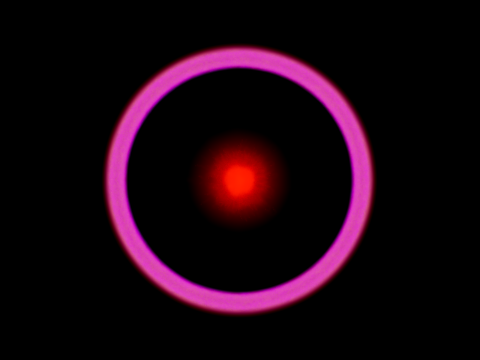 Aurora luminous magenta ring ▶ live demo |
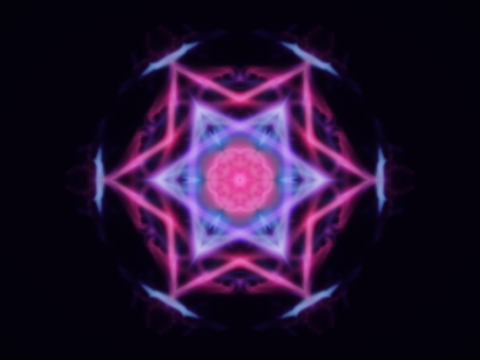 Mandala 8-fold star kaleidoscope ▶ live demo |
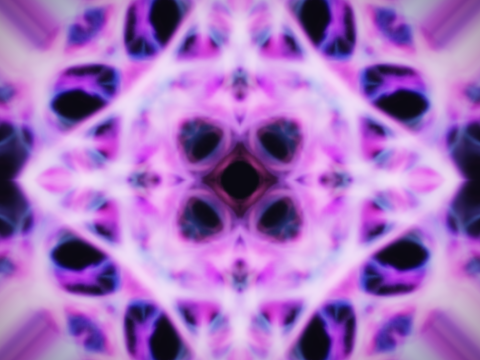 Mystic violet chase kaleidoscope ▶ live demo |
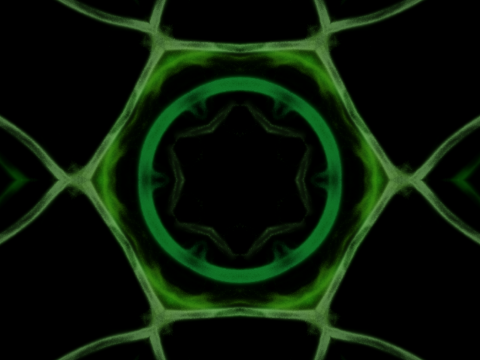 Terminal Haze phosphor-green kaleidoscope ▶ live demo |
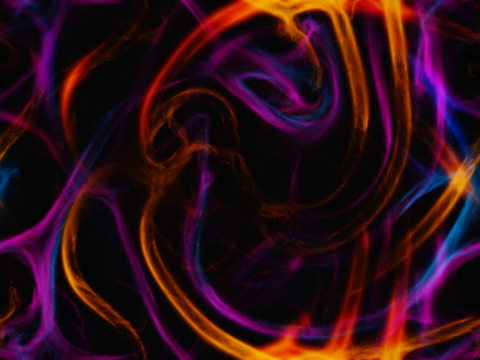 Neon Waves electric neon ribbons ▶ live demo |
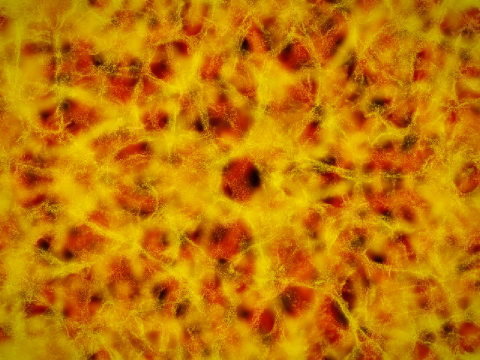 Solar Veil molten amber veil ▶ live demo |
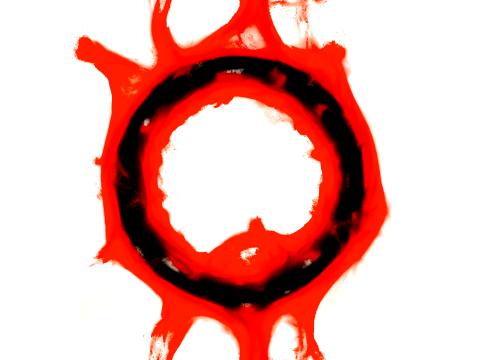 Dancing Ink red ink on paper ▶ live demo |
Native apps
Beyond the web app, Physarum ships as native SwiftUI/Metal apps — the same engine, with a full authoring editor, audio-reactivity, and capture on every platform:
- macOS — download the notarised universal app below (macOS 14+).
- iPhone, iPad & Apple TV — on the App Store as Physarum Ambient, free. On Apple TV, Physarum becomes a lean-back ambient display you steer from the couch or mirror live from your phone.
| Physarum on iPhone iPhone |
Physarum on iPad iPad |
Physarum on Apple TV — ambient mode
Apple TV — ambient mode · ▶ watch a 25 s preview
Embed
Drop the player onto any page with the <physarum-player> custom element:
<script type="module" src="https://pages.jkaindl.de/physarum/physarum-player.js"></script>

<!-- a built-in preset -->
<physarum-player preset="builtin:aurora"></physarum-player>

<!-- your own preset: in the app, open Settings -> "Copy embed code" -->
<physarum-player preset="token:..."></physarum-player>

<!-- a cycling playlist -->
<physarum-player playlist="builtin:aurora,builtin:mandala,builtin:mystic" interval="20"></physarum-player>
Attributes: preset, playlist, interval (seconds), controls
(auto/always/none), poster, asset-base, autoplay, loop.
JS API: .play(), .pause(), .next(), .prev(), .load(source).
Events: physarum:ready, physarum:presetchange, physarum:error.
The player is purely visual (no audio reactivity) and falls back to a poster image when WebGPU is unavailable. Or embed via iframe using the hosted route:
<iframe src="https://pages.jkaindl.de/physarum/player.html?preset=builtin:aurora"
        style="border:0;width:100%;height:400px" allowfullscreen allow="fullscreen"></iframe>
Usage
Open the web app, pick a preset from the Library, and watch. Everything else sits in the top bar:
| Control | What it does |
|---|---|
| Library | the seven built-in presets plus your own saved ones |
| Editor | live parameters — species, sensors, colour, bloom, symmetry; per-section reset and save-as-new |
Play / Pause (Space) |
freezes the simulation without losing its state |
Respawn (R) |
reseeds the agents, keeping the current parameters |
| Export PNG | a still of the current frame |
| Record | captures a video clip |
| Share | a link that carries the preset |
| Menu | audio-reactive setup, capture options, Copy embed code |
The simulation starts on load; you never have to configure anything to see it run. Audio-reactive mode asks for microphone or tab-audio permission the first time you enable it in the menu.
Deep links. Both routes accept ?preset=<id> — index.html for the full app,
player.html for a bare full-window view (the same one behind every ▶ live demo above):
https://pages.jkaindl.de/physarum/?preset=builtin:mystic
https://pages.jkaindl.de/physarum/player.html?preset=builtin:mystic
For embedding the player in a page of your own, see Embed above.
Requirements
- Browser with WebGPU support (Chrome/Edge 113+, Safari 26+, Firefox stable)
- For audio-reactive mode: microphone permission
- Node 22+ for development
Development
Visit http://localhost:5173.
Build
Testing
Preset thumbnails
Built-in preset cards ship with pre-rendered thumbnails in
public/preset-thumbs/. After editing a preset's parameters, re-bake:
Headed mode is required on macOS — Chrome's headless renderer doesn't expose a working WebGPU device, so headless captures end up blank.
Distribution
Web (PWA) — every push to main is built and published to the pages host
Pages by .forgejo/workflows/deploy.yml:
https://pages.jkaindl.de/physarum/
macOS app — the native SwiftUI/Metal app (full authoring editor, audio-reactive, capture/export), Developer ID-signed + notarised, universal (Apple Silicon + Intel):
See docs/MACOS-APP.md. App icons are generated from
assets/icon.svg via ./scripts/gen-icons.sh.
Contributing
Contributions are welcome — see CONTRIBUTING.md.
Release history is in CHANGELOG.md.
License
Physarum is dual-licensed:
- AGPL-3.0-or-later for open-source use — see
LICENSE. - A commercial license is available for proprietary use that the AGPL
doesn't allow — e.g. embedding the
<physarum-player>component on a closed-source website or in a SaaS — seeLICENSING.mdor emailcode@jkaindl.de.
Contributions are accepted under the Contributor License Agreement.
Support
If Physarum brightens a screen of yours, you can leave a tip on
Liberapay. For commercial use, see
LICENSING.md.
Quelldateien
apple/PhysarumApp/Sources/Ambient/AmbientController.swiftapple/PhysarumApp/Sources/Ambient/ControlIntent.swiftapple/PhysarumApp/Sources/Ambient/PlaylistDirector.swiftapple/PhysarumApp/Sources/App/EditorPresentation.swiftapple/PhysarumApp/Sources/App/PhysarumApp.swiftapple/PhysarumApp/Sources/App/RootView.swiftapple/PhysarumApp/Sources/Audio/AudioAnalyzer.swiftapple/PhysarumApp/Sources/Audio/AudioBands.swiftapple/PhysarumApp/Sources/Audio/AudioFactors.swiftapple/PhysarumApp/Sources/Audio/AudioInput.swiftapple/PhysarumApp/Sources/Audio/BandNormalizer.swiftapple/PhysarumApp/Sources/Capture/CaptureCleanup.swiftapple/PhysarumApp/Sources/Capture/CaptureConfig.swiftapple/PhysarumApp/Sources/Capture/CaptureMath.swiftapple/PhysarumApp/Sources/Capture/CaptureSaver.swiftapple/PhysarumApp/Sources/Capture/CaptureService.swiftapple/PhysarumApp/Sources/Capture/CaptureSheet.swiftapple/PhysarumApp/Sources/Capture/ClipRecorder.swiftapple/PhysarumApp/Sources/Capture/EmbedSnippet.swiftapple/PhysarumApp/Sources/Capture/ExportedCapture.swiftapple/PhysarumApp/Sources/Capture/ImageWriter.swiftapple/PhysarumApp/Sources/Capture/ThumbnailRenderer.swiftapple/PhysarumApp/Sources/Capture/VideoClipRecorder.swiftapple/PhysarumApp/Sources/Editor/AudioReactiveSection.swiftapple/PhysarumApp/Sources/Editor/EditorView.swiftapple/PhysarumApp/Sources/Editor/MorphSheet.swiftapple/PhysarumApp/Sources/Editor/ParamSlider.swiftapple/PhysarumApp/Sources/Editor/Sections.swiftapple/PhysarumApp/Sources/Editor/SliderPrecision.swiftapple/PhysarumApp/Sources/Library/LibraryView.swiftapple/PhysarumApp/Sources/Library/SaveDialog.swiftapple/PhysarumApp/Sources/Model/AppState+Exploration.swiftapple/PhysarumApp/Sources/Model/AppState.swiftapple/PhysarumApp/Sources/Model/AudioConfig.swiftapple/PhysarumApp/Sources/Model/AudioPresetStore.swiftapple/PhysarumApp/Sources/Model/DeviceIdiom.swiftapple/PhysarumApp/Sources/Model/FactorySlots.swiftapple/PhysarumApp/Sources/Model/FileSlotBackend.swiftapple/PhysarumApp/Sources/Model/KVSSlotBackend.swiftapple/PhysarumApp/Sources/Model/ParamHelp.swiftapple/PhysarumApp/Sources/Model/ParamRegistry.swiftapple/PhysarumApp/Sources/Model/PresetCatalog.swiftapple/PhysarumApp/Sources/Model/PresetDocument.swiftapple/PhysarumApp/Sources/Model/PresetMorph.swiftapple/PhysarumApp/Sources/Model/PresetSlots.swiftapple/PhysarumApp/Sources/Model/PresetStore.swiftapple/PhysarumApp/Sources/Model/RandomStrategy.swiftapple/PhysarumApp/Sources/Model/SimFormat.swiftapple/PhysarumApp/Sources/Model/SlotBackend.swiftapple/PhysarumApp/Sources/Model/SlotStore.swiftapple/PhysarumApp/Sources/Player/LiveSnapshot.swiftapple/PhysarumApp/Sources/Player/MetalView.swiftapple/PhysarumApp/Sources/Player/PlayerPolicy.swiftapple/PhysarumApp/Sources/Player/RenderCoordinator.swiftapple/PhysarumApp/Sources/Remote/AmbientHost.swiftapple/PhysarumApp/Sources/Remote/AmbientListener.swiftapple/PhysarumApp/Sources/Remote/AudioFactorFrame.swiftapple/PhysarumApp/Sources/Remote/RemoteController.swiftapple/PhysarumApp/Sources/Remote/RemoteDiscovery.swiftapple/PhysarumApp/Sources/Remote/RemoteFraming.swiftapple/PhysarumApp/Sources/Remote/RemoteLink.swiftapple/PhysarumApp/Sources/Remote/RemoteMessage.swiftapple/PhysarumApp/Sources/Remote/RemoteSendGate.swiftapple/PhysarumApp/Sources/TV/TVHUDView.swiftapple/PhysarumApp/Sources/TV/TVHintView.swiftapple/PhysarumApp/Sources/TV/TVOverlayView.swiftapple/PhysarumApp/Sources/TV/TVPlayerView.swiftapple/PhysarumApp/Sources/TV/TVRootView.swiftapple/PhysarumApp/Sources/TV/TopShelfHero.swiftapple/PhysarumApp/Sources/UI/A11y.swiftapple/PhysarumApp/Sources/UI/Components.swiftapple/PhysarumApp/Sources/UI/ErrorAlert.swiftapple/PhysarumApp/Sources/UI/ErrorPresenter.swiftapple/PhysarumApp/Sources/UI/HelpLabel.swiftapple/PhysarumApp/Sources/UI/LockButton.swiftapple/PhysarumApp/Sources/UI/PhysarumTheme.swiftapple/PhysarumApp/Sources/UI/UserFacingError.swiftapple/PhysarumApp/Tests/A11yTests.swiftapple/PhysarumApp/Tests/AmbientControllerAudioTests.swiftapple/PhysarumApp/Tests/AmbientControllerTests.swiftapple/PhysarumApp/Tests/AmbientHostApplyTests.swiftapple/PhysarumApp/Tests/AppStateBootPresetTests.swiftapple/PhysarumApp/Tests/AppStateMigrationTests.swiftapple/PhysarumApp/Tests/AppStateResetTests.swiftapple/PhysarumApp/Tests/AppStateSlotsTests.swiftapple/PhysarumApp/Tests/AudioAnalyzerTests.swiftapple/PhysarumApp/Tests/AudioConfigImportTests.swiftapple/PhysarumApp/Tests/AudioFactorFrameTests.swiftapple/PhysarumApp/Tests/AudioFactorsTests.swiftapple/PhysarumApp/Tests/AudioPresetAppStateTests.swiftapple/PhysarumApp/Tests/AudioPresetStoreTests.swiftapple/PhysarumApp/Tests/AudioTransientTests.swiftapple/PhysarumApp/Tests/AudioTuningCodableTests.swiftapple/PhysarumApp/Tests/AudioWiringTests.swiftapple/PhysarumApp/Tests/BandNormalizerTests.swiftapple/PhysarumApp/Tests/CaptureCeilingTests.swiftapple/PhysarumApp/Tests/CaptureCleanupTests.swiftapple/PhysarumApp/Tests/CaptureDeviceCrashTests.swiftapple/PhysarumApp/Tests/CaptureMathTests.swiftapple/PhysarumApp/Tests/CaptureSaveErrorTests.swiftapple/PhysarumApp/Tests/CaptureStartTests.swiftapple/PhysarumApp/Tests/ClipRecorderTests.swiftapple/PhysarumApp/Tests/ControlIntentTests.swiftapple/PhysarumApp/Tests/EmbedSnippetTests.swiftapple/PhysarumApp/Tests/ErrorPresenterTests.swiftapple/PhysarumApp/Tests/ExportedCaptureTests.swiftapple/PhysarumApp/Tests/FactorySlotsTests.swiftapple/PhysarumApp/Tests/FieldTierTVTests.swiftapple/PhysarumApp/Tests/FontRoleTests.swiftapple/PhysarumApp/Tests/LivePhotoMetadataTests.swiftapple/PhysarumApp/Tests/LocksTests.swiftapple/PhysarumApp/Tests/MorphTests.swiftapple/PhysarumApp/Tests/MutateTests.swiftapple/PhysarumApp/Tests/ParamHelpTests.swiftapple/PhysarumApp/Tests/ParamRegistryTests.swiftapple/PhysarumApp/Tests/PhotoFormatTests.swiftapple/PhysarumApp/Tests/PlayerPolicyTests.swiftapple/PhysarumApp/Tests/PlaylistDirectorTests.swiftapple/PhysarumApp/Tests/PresetImportTests.swiftapple/PhysarumApp/Tests/PresetReorderTests.swiftapple/PhysarumApp/Tests/PresetSlotsTests.swiftapple/PhysarumApp/Tests/PresetStoreTests.swiftapple/PhysarumApp/Tests/RandomizeTests.swiftapple/PhysarumApp/Tests/RemoteControllerThrottleTests.swiftapple/PhysarumApp/Tests/RemoteFramingTests.swiftapple/PhysarumApp/Tests/RemoteMessageTests.swiftapple/PhysarumApp/Tests/RenderCoordinatorTests.swiftapple/PhysarumApp/Tests/SimFormatTests.swiftapple/PhysarumApp/Tests/SliderPrecisionTests.swiftapple/PhysarumApp/Tests/SlotBackendTests.swiftapple/PhysarumApp/Tests/SlotMigrationTests.swiftapple/PhysarumApp/Tests/SlotStoreApplyTests.swiftapple/PhysarumApp/Tests/SlotStoreLoadGatingTests.swiftapple/PhysarumApp/Tests/SpeciesSelectorTests.swiftapple/PhysarumApp/Tests/TestSupport.swiftapple/PhysarumApp/Tests/ThumbnailRendererTests.swiftapple/PhysarumApp/Tests/ThumbnailStorageTests.swiftapple/PhysarumApp/Tests/TopShelfHeroTests.swiftapple/PhysarumApp/Tests/UndoRedoTests.swiftapple/PhysarumApp/Tests/UserFacingErrorTests.swiftapple/PhysarumApp/Tests/VideoPipelineIntegrationTests.swiftapple/PhysarumApp/Tests/WorkspaceLayoutTests.swiftapple/PhysarumApp/TopShelf/TopShelfProvider.swiftapple/PhysarumApp/UITests/PreviewRecording.swiftapple/PhysarumEngine/Package.swiftapple/PhysarumEngine/Sources/EngineCheck/main.swiftapple/PhysarumEngine/Sources/PhysarumEngine/Model/Params.swiftapple/PhysarumEngine/Sources/PhysarumEngine/Model/Preset.swiftapple/PhysarumEngine/Sources/PhysarumEngine/Model/Seeding.swiftapple/PhysarumEngine/Sources/PhysarumEngine/Model/Types.swiftapple/PhysarumEngine/Sources/PhysarumEngine/PhysarumEngine.swiftapple/PhysarumEngine/Sources/PhysarumEngine/Renderer/Renderer.swiftapple/PhysarumEngine/Sources/PhysarumEngine/Renderer/ShaderLibrary.swiftapple/PhysarumEngine/Sources/PhysarumEngine/Renderer/SimEngine.swiftapple/PhysarumEngine/Sources/PhysarumViewer/main.swiftapple/PhysarumEngine/Sources/PresetGallery/main.swiftapple/PhysarumEngine/Tests/PhysarumEngineTests/AspectFidelityTests.swiftapple/PhysarumEngine/Tests/PhysarumEngineTests/AudioRouteModeTests.swiftapple/PhysarumEngine/Tests/PhysarumEngineTests/BloomSceneAlignmentTests.swiftapple/PhysarumEngine/Tests/PhysarumEngineTests/FeedbackOrientationTests.swiftapple/PhysarumEngine/Tests/PhysarumEngineTests/FeedbackStateTests.swiftapple/PhysarumEngine/Tests/PhysarumEngineTests/LiveEncodeTests.swiftapple/PhysarumEngine/Tests/PhysarumEngineTests/ParamsLayoutTests.swiftapple/PhysarumEngine/Tests/PhysarumEngineTests/PostFXGatingTests.swiftapple/PhysarumEngine/Tests/PhysarumEngineTests/PresetCodableTests.swiftapple/PhysarumEngine/Tests/PhysarumEngineTests/RendererCaptureTests.swiftapple/PhysarumEngine/Tests/PhysarumEngineTests/RestoreReleaseRegressionTests.swiftapple/PhysarumEngine/Tests/PhysarumEngineTests/SimEngineTests.swiftapple/PhysarumEngine/Tests/PhysarumEngineTests/SimStateTests.swiftapple/PhysarumEngine/Tests/PhysarumEngineTests/TestFixtures.swiftapple/scripts/build-viewer-app.shapple/scripts/transpile-shaders.shapple/spike/spike.swiftapple/tools/wgsl2msl/src/main.rsplaywright.config.tsscripts/bake-thumbnails.tsscripts/bench-headroom.tsscripts/build-appstore.shscripts/build-macos-app.shscripts/build-topshelf-hls.shscripts/check-no-abs-paths.mjsscripts/deploy-page.shscripts/deploy-topshelf-to-hetzner.shscripts/export-native-presets.tsscripts/gen-icons.shscripts/gen-tvos-icons.shscripts/shoot-appstore-media.shscripts/shoot-appstore-montage.shscripts/shoot-appstore-screens.shscripts/shoot-appstore-stills.shscripts/shoot-appstore-ui-video.shscripts/shoot-appstore-ui.shscripts/shoot-topshelf-hero.shsrc/App.tsxsrc/audio/AudioCapture.tssrc/audio/bands.tssrc/engine/Engine.tssrc/engine/adapter.tssrc/engine/params.tssrc/engine/pingPong.tssrc/engine/seeding.tssrc/engine/types.tssrc/hooks/useAspect.tssrc/hooks/useHotkeys.tssrc/hooks/useViewport.tssrc/lib/download.tssrc/lib/filename.tssrc/lib/timing.tssrc/main.tsxsrc/player/ControlsOverlay.tssrc/player/PhysarumPlayer.tssrc/player/PlayerCore.tssrc/player/constants.tssrc/player/element.tssrc/player/embed-page.tssrc/player/playlist.tssrc/player/resolvePreset.tssrc/player/types.tssrc/presets/builtIn.tssrc/presets/curated.tssrc/presets/schema.tssrc/presets/storage.tssrc/recording/VideoRecorder.tssrc/share/embedCode.tssrc/share/encodePreset.tssrc/stores/presetStore.tssrc/stores/thumbnailStore.tssrc/stores/uiStore.tssrc/ui/Canvas.tsxsrc/ui/CinemaMode.tsxsrc/ui/ColorRow.tsxsrc/ui/InteractionMatrixGrid.tsxsrc/ui/MatrixCell.tsxsrc/ui/NoWebGPUScreen.tsxsrc/ui/ParamSlider.tsxsrc/ui/PresetCard.tsxsrc/ui/PresetEditor.tsxsrc/ui/PresetLibrary.tsxsrc/ui/SaveDialog.tsxsrc/ui/SelectRow.tsxsrc/ui/SettingsMenu.tsxsrc/ui/SpeciesPanel.tsxsrc/ui/ToggleRow.tsxsrc/ui/Tooltip.tsxsrc/ui/Topbar.tsxsrc/ui/icons/Icon.tsxsrc/ui/paramHelp.tssrc/ui/respawnCoordinator.tssrc/ui/sliderInput.tstests/audio/bands.test.tstests/e2e/multi-species.spec.tstests/e2e/player.spec.tstests/e2e/slice1.spec.tstests/engine/adapter.test.tstests/engine/params.test.tstests/engine/seeding.test.tstests/lib/filename.test.tstests/player/playlist.test.tstests/player/resolvePreset.test.tstests/presets/builtIn.test.tstests/presets/schema.test.tstests/presets/storage.test.tstests/share/embedCode.test.tstests/share/encodePreset.test.tstests/stores/presetReactivity.test.tstests/stores/reorderCustom.test.tstests/stores/resetEdited.test.tstests/stores/saveAsNew.test.tstests/ui/respawnCoordinator.test.tstests/ui/sliderInput.test.tsvite.config.tsvite.element.config.tsvitest.config.ts