perlin-studio
Parametric 3D/4D Perlin animations in the browser — worker-accelerated, video export, seamless loop. Fully client-side, no dependencies, no build.



Grown out of two older hobby projects (_archiv/texturizer.ipynb from
early 2023 + _archiv/perlin_noise/ from May 2023) into a focused
browser tool. Designed for static hosting, embedding on a homepage, and
as the basis for an Obsidian plugin.
Quickstart
# Variant A — just double-click
open index.html       # macOS
start index.html      # Windows
xdg-open index.html   # Linux

# Variant B — local server (handy for hot-reload during development)
python3 -m http.server 8000
# → http://localhost:8000
Hit ▶ or Space, click a preset chip, or move any slider — the live preview updates after every input.
Features
- Live preview of parametric Perlin animations (fBm with octaves, persistence, lacunarity, seed)
- Low-resolution "pixel" look — a small Width/Height upscales into crisp pixel blocks for a deliberate retro / Minecraft feel
- Six color modes: RGB (per channel, with optional per-channel
multi-sample for nebula / film-grain looks), Gradient (8 presets + a
custom-stops editor with per-stop hex input and paste-a-palette), HSV,
Posterize, Cosine (seven palettes after Inigo Quilez,
a + b·cos(2π(c·t+d)), fully editable), Flow (renders the noise as a vector field — hue = local gradient direction) - Cellular noise — Voronoi cells, cell borders and smooth blobs next to Perlin, seeded, tileable and seamlessly loopable like the rest
- Relief lighting — treats the noise as a height field and lights it (light direction and height, ambient, highlight) on top of any colour mode
- Domain warping — pre-displaces the sample point by a smoother noise field. Switches Perlin output from "Perlin" to marble veins, ink in water, alien terrain
- Layer compositing — a second noise field can be blended on top of the main one with multiply / add / screen / darken / lighten / difference modes and a mix slider
- Image mask — load a PNG / JPG and use its alpha (or luminance as fallback) as a per-pixel mask. PNG export keeps the transparency
- Tileable —
Tile X/Tile Ymake the noise wrap modulo a configurable cell period, so the output repeats seamlessly as a background texture - Seamless loop — 4D Perlin on a circular path in
(z, w), closes mathematically without any "breathing" artifact - Video export — MP4/H.264 where the browser supports it (Safari, iOS,
Chrome ≥ 126), WebM otherwise (Firefox) — at arbitrary length/framerate via
MediaRecorder - PNG snapshot of the current frame
- Preset system with 10 built-ins (default, lava, aurora, clouds, terrain, circuit, marble, nebula, flow, composite) and JSON import / export
- Worker-accelerated — main thread stays free, frame-skip without drift, wall-clock time as animation basis
- Optional GPU renderer — a WebGL2 port of the same noise (Renderer → GPU); same image, orders of magnitude faster at large sizes
- Dark + light theme, follows the OS by default; a sun/moon toggle in the topbar pins an explicit choice across reloads
Gallery
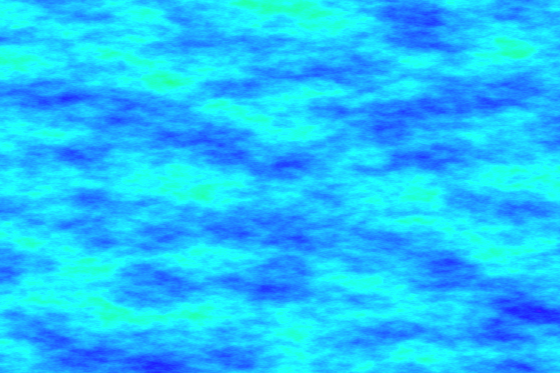
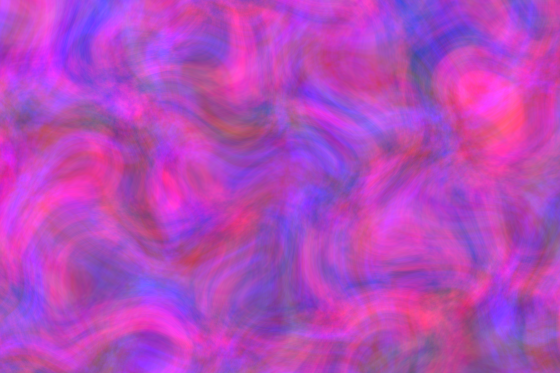
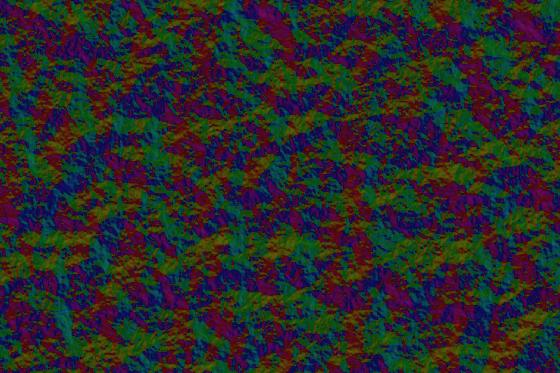
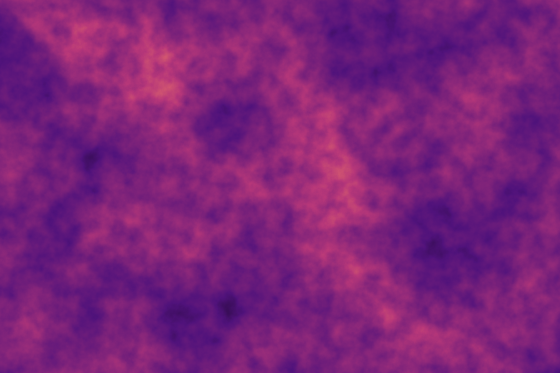
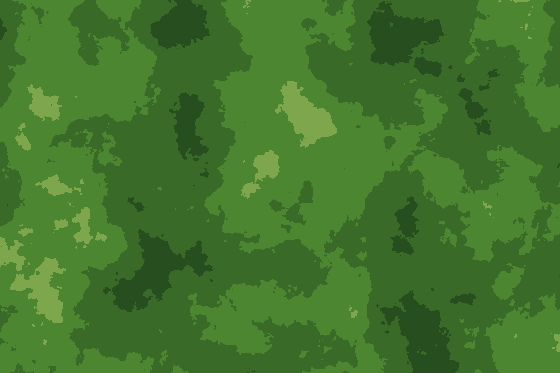
Every image is a single frame from a built-in preset, rendered by the tool
itself — and reproducible from the presets via
scripts/render-readme-images.js. Together
they show the range of colour modes and features.
 |
 |
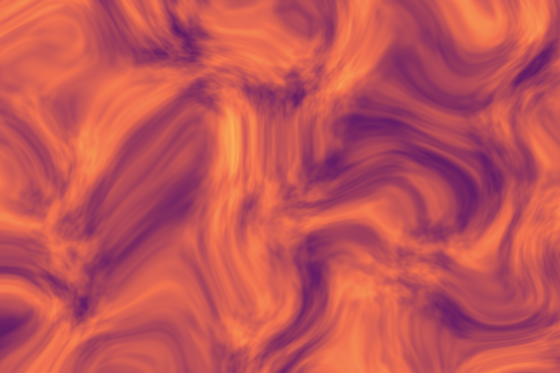 |
| Aurora · HSV mode | Nebula · per-channel RGB noise | Marble · domain warp |
 |
 |
 |
| Flow · flow field | Composite · Layer 2 blend | Terrain · Posterize mode |
Live loops
Three seamless 2.5-second loops, rendered from the built-in presets via
scripts/render-readme-videos.js.
The WebMs live under docs/examples/ and are directly
linkable from the live demo
(handy for embedding into other docs).
| Lava · Fire gradient | Aurora · HSV mode | Terrain · Posterize · Forest gradient |
Usage
New here? Start with Getting started. Every parameter and control: control reference.
Short version of the most important controls:
| Element | Function |
|---|---|
| Left sidebar | All parameters (resolution, noise, loop, color, presets, export) |
| Large canvas | Live preview (always matches the current slider/input state) |
| ▶ / Space | Play / pause |
| ⏮ | Slider back to 0 |
| t slider | Time scrub (loop: [0, 1), otherwise free) |
| fps / frames | Only used for video export |
Embedding
Drop the looping animation onto any page with the <perlin-noise> custom
element — renderer only, no controls:
<script src="perlin.js"></script>
<script src="perlin-presets.js"></script>
<script src="perlin-engine.js"></script>
<script src="perlin-element.js"></script>

<perlin-noise preset="aurora" autoplay></perlin-noise>
Configure it with a built-in preset name, a src pointing at a preset
JSON exported from the studio, or the params JS property. It fills its
container responsively (render resolution capped via max-resolution,
default 1280), respects prefers-reduced-motion, and pauses while
off-screen. Works from file:// too — except src, which needs an HTTP
server (use preset or .params locally).
▶ See it live: pages.jkaindl.de/perlin-studio/examples/embed.html — source in examples/embed.html.
Architecture in one picture
Main thread (UI)              Web Worker
┌─────────────────┐           ┌────────────────┐
│ RAF loop        │ params/t  │ makePermutation│
│ gatherParams()  │──────────▶│ fbm3/fbm4      │
│                 │           │ colorize()     │
│ putImageData    │ ImageData │                │
│ (zero-copy)     │◀──────────│ postMessage    │
│                 │           │  (transferable)│
└─────────────────┘           └────────────────┘
Full technical docs (math, pipeline, edge cases): docs/explanation/architecture.md.
No build step
There is nothing to compile, bundle, or install. The seven scripts you see in
Project layout are the shipped artifact: plain ES5-compatible
JavaScript, each attaching one window global, loaded in order by
index.html. No package.json, no node_modules, no transpiler, no
framework.
That is a deliberate design constraint, not a gap:
- It runs from
file://. Double-clickingindex.htmlgives you the full tool — no server, no toolchain, no network. The Perlin worker is loaded from an inline Blob (MTPerlin.WORKER_SOURCE), with an automatic main-thread fallback where a browser's CSP blocks it. - It deploys anywhere static.
rsyncthe directory onto any webhost and it works. No CI step stands between the source and what visitors run. - It stays embeddable.
<perlin-noise>drops into any page with four<script>tags — no build tooling imposed on whoever embeds it. - It stays readable. What you read in the repo is exactly what runs in the browser; a stack trace points at real source lines, not at bundle output.
The cost is a deliberate one: no TypeScript, no npm ecosystem, and hand-rolled
solutions where a dependency would be quicker. Quality is gated by
scripts/check-syntax.mjs (parses every deployable script) and
scripts/smoke-test.js (Perlin math invariants) rather than by a compiler —
both run before the site is published.
If you want to change this, talk to the maintainer first — see AGENTS.md.
Browser compatibility
| Browser | Status |
|---|---|
| Chrome / Edge (Chromium) ≥ 90 | ✅ full incl. worker; exports MP4/H.264 (Chrome ≥ 126) or VP9 WebM |
| Firefox ≥ 90 | ✅ full; exports WebM (VP8/VP9) — no MP4 muxer |
| Safari ≥ 14 | ✅ live preview; exports MP4/H.264 (Safari ≥ 14.1 / iOS ≥ 14.5); some versions block the worker under file:// → falls back to main thread |
| Mobile Safari / Chrome Mobile | ✅ live preview; MP4 export (iOS ≥ 14.5); may require a longer touch gesture |
The app is responsive and works on mobile — the worker path keeps the animation smooth even at low resolutions.
Project layout
.
├── index.html             # UI markup
├── styles.css             # theme (dark + light, system-following with topbar toggle override)
├── perlin.js              # math/API (3D + 4D noise, color modes, worker source)
├── perlin-presets.js      # gradients, built-in presets, resolveParams (shared)
├── perlin-engine.js       # headless render engine (worker + RAF loop)
├── perlin-gl.js           # optional WebGL2 renderer (port of the noise maths)
├── perlin-studio.js       # controller (UI, recording, presets, events)
├── perlin-element.js      # <perlin-noise> embeddable custom element
├── manifest.webmanifest   # PWA manifest (installable)
├── assets/                # static assets (favicon, PWA icons, README images)
├── examples/
│   └── embed.html         # <perlin-noise> embedding demo
├── docs/                  # documentation, see docs/README.md (Diátaxis)
│   ├── tutorials/         # getting started
│   ├── how-to/            # task guides, troubleshooting
│   ├── reference/         # controls, colour modes, preset format, element
│   ├── explanation/       # architecture, design choices
│   ├── internal/          # notes for contributors and agents
│   └── examples/          # rendered WebM loops (for README + embedding)
├── scripts/
│   ├── render-readme-images.js  # renders assets/*.png from perlin.js
│   └── render-readme-videos.js  # renders docs/examples/*.webm (Node → ffmpeg)
├── _archiv/               # historical predecessors (READ-ONLY)
│   ├── perlin_noise/      # Python original
│   ├── texturizer.ipynb   # Texturizer notebook
│   └── old_texturizer_combined/   # first browser version, incl. Texturizer
├── LICENSE                # AGPL-3.0
├── CHANGELOG.md
├── CONTRIBUTING.md
├── SECURITY.md            # threat model + reporting
└── AGENTS.md              # context file for AI assistants
Documentation
The documentation is split by what you need it for (index):
- Learn: Getting started — from opening the studio to a looping video.
- Do: how-to guides for exporting, palettes, masks, embedding and installing, and Troubleshooting.
- Look up: the control reference, colour modes, preset format and the
<perlin-noise>element. - Understand: how the parameters shape the image, design choices and the architecture.
Contributing
Issues and PRs welcome. Developer quickstart: CONTRIBUTING.md.
Security-related reports — please don't file them publicly. See SECURITY.md.
AI assistants (Claude Code, etc.) get their orientation in AGENTS.md.
Roadmap
Shipped since the original list:
- [x] Gradient editor — custom color stops (since v0.8.0)
- [x] Domain warping — Inigo-Quilez-style sample-point displacement (v0.8.0)
- [x] Per-channel noise for RGB mode (v0.9.0)
- [x] Flow-field colour mode — render the noise as a vector field (v0.9.0)
- [x] Tileable noise —
Tile X/Tile Ymake the output repeat (v0.10.0) - [x] Image mask — load a PNG / JPG, render noise inside the alpha (v0.11.0)
- [x] Layer system — composite two noise fields with a blend mode (v0.11.0)
- [x] Web Component — embeddable
<perlin-noise>renderer element (v0.12.0)
Still on the wishlist:
- [ ] Obsidian plugin —
main.tswith a modal + canvas embed (separate repo) - [ ]
<perlin-studio>element — the full editor (controls + canvas) as a single embeddable tag, building on the sharedPerlinEngine
Considered and explicitly deferred:
- ~~GIF export~~ — WebM is technically superior in every dimension
(smaller, higher quality, alpha-friendly), and
gif.jswould be the project's first JavaScript dependency. The Discord/Slack reach gain doesn't justify breaking the "no dependencies" principle.
License
Perlin Studio is dual-licensed — see LICENSING.md for the full picture:
- Open source (default): GNU AGPL-3.0-or-later — copyleft with the network-use clause. If you host the tool (or a fork) so others can use it over the network, the source of your variant must also be available under AGPL.
- Commercial license (on request): for uses the AGPL does not fit — e.g. a proprietary/closed-source product or an Apple App Store build, which is incompatible with the AGPL. Details in LICENSING.md; contributions are governed by the CLA.
The Perlin permutation table and the "Improved Noise" algorithm come from Ken Perlin's freely published Java reference (2002), reimplemented here in JS.
Arbeitsregeln (AGENTS.md)
Workspace-Standards (maintainer-lokal): Die verbindliche Leitkonvention steht in
_docs/CONVENTIONS.mdim Multi-Projekt-Workspace des Maintainers,../_docsrelativ zu diesem Repo — nicht Teil dieses Repos, ignorieren falls im Klon nicht vorhanden. Modell comply-or-explain. Dokumentierte Abweichungen siehe Abschnitt Abweichungen von der Leitkonvention.
This file is aimed at AI assistants (Claude Code, Cursor, Aider, …) that work on this repo. Humans contributing here will find what they need in README.md, CONTRIBUTING.md, and docs/.
Project character
Perlin Studio is a single-page browser tool for parametric 3D/4D Perlin animations. Vanilla JS, no dependencies, no backend, no build step. Works by double-clicking index.html (file://) and on any static webhost.
Two native companions reuse the same noise: Perlin Live Wallpaper (macos/, Swift + Metal, public AppKit only) and Perlin Live Photo (ios/, SwiftUI + Metal, reuses the macOS portable core by file reference).
Zero-dependency / no-build is a deliberate feature (PROF-WEB-01): the tool must stay statically deployable and embeddable as a Web Component. Don't migrate to TypeScript, a bundler, or a framework without discussing it with the maintainer first — Vanilla-JS constancy is the point.
Architecture principles
- Five plain scripts, each attaching a
windowglobal, loaded in order (file://-safe, no ES modules):perlin.js→perlin-presets.js→perlin-engine.js→ the consumersperlin-studio.jsandperlin-element.js;perlin-export.jsis pure compositing math.perlin-gl.jsis an optional WebGL2 port of the noise maths thatPerlinEnginecan route frames through. - Render/animation logic lives in
PerlinEngine, not duplicated in the studio or the<perlin-noise>element. - No dependencies without a specific reason. A 12-KB library for one feature is OK, but discuss with the maintainer first.
- Defensive programming only at external boundaries (user input, file upload). Trust internal data flow.
- Comments explain why, not what. Code should be readable without comments; comments cover the non-obvious, edge cases, math background.
_archiv/is off-limits for active changes. It documents the project's genealogy and may only be added to, never edited or deleted.
Context index
- Before reading or changing
perlin*.js(the GLSL portperlin-gl.jsincluded) orscripts/smoke-test.js: read.claude/rules/perlin-core.md(math bug classes, animation step, worker rules, GPU parity). It also loads by itself in Claude Code. - Before adding or moving a file, or when a term is unclear (fBm, loopProgress, safeProgress, scaleT): read
docs/internal/architecture.md(module layering, file layout, glossary). - Before asking why something is the way it is (zero-dep, deploy guards,
vtag prefix, hero.png over budget, single remote): readdocs/internal/decisions.md. - Before changing the math, the worker pipeline or the loop mechanics: read
docs/explanation/architecture.md. - Before changing the UI: read
docs/internal/ui-spec.md; for the embeddable element:docs/internal/web-component-spec.md. - Before a macOS or iOS release or notarization: read
docs/how-to/install-the-macos-app.md,macos/README.md,ios/README.md. - Before writing or moving user documentation: read
docs/README.md(the Diátaxis index: tutorial, how-to, reference, explanation — a page belongs in exactly one). - Before changing what the repo delivers (export formats, example loops, the standalone bundle): read
ANGEBOT.md.
Commands
There is no full test suite. Instead:
- Syntax gate — parses every deployable script (external
perlin*.jsplus inline<script>blocks inindex.html/examples/) without executing it (PROF-WEB-03):node scripts/check-syntax.mjs - Math smoke tests for Perlin changes:
node scripts/smoke-test.js. Covers permutation determinism, value range ofperlin3/perlin4, loop identity atprogress=0vsprogress=1(bytewise and bit-exact), Z/W axis independence, andcolorizerange. For ad-hoc scripts the same pattern works (global.window = {}+ requireperlin.js). - Path hygiene gate — no absolute maintainer paths in tracked Markdown:
node scripts/check-no-abs-paths.mjs - GPU parity (by hand, after touching
perlin-gl.jsor the maths inperlin.js; needs Playwright, see the script header):node scripts/check-gl-parity.mjs— renders each case on the CPU and the GPU path in a real browser and compares. Exit 2 = skipped. - Manual browser test —
python3 -m http.serverand click around. The permission setup may forbid starting an HTTP server from the repo's location; if so, ask the user to test it themselves.
Deploy: bash scripts/deploy-page.sh runs gates 1–3, snapshots committed HEAD via git archive and rsyncs it to pages.jkaindl.de/perlin-studio/. It needs real rsync 3.x (brew install rsync; macOS ships openrsync). The script carries four macOS deploy guards (CORE-OPS-01); don't remove them.
macOS app: cd macos && swift build && swift run, headless check swift run PerlinLiveWallpaper --selftest, package with ./scripts/build-app.sh [--notarize]. Version bump from the repo root before tagging: bash scripts/bump-version.sh X.Y.Z.
Conventions
- Everything is English: UI strings (including new buttons/sections), code comments, identifiers, commit messages, PR descriptions, issue templates, docs. Math terms (Octaves, Persistence, Lacunarity, fBm) keep their standard form. No emojis in code/docs unless the user explicitly asks.
- Conventional Commits (
feat/fix/docs/chore/refactor/test(scope): …); commit body may be German (CORE-GIT-04). - One remote: Forgejo (
origin=git@git.jkaindl.de:jkaindl/perlin-studio.git), no mirror since 2026-09-05 (CORE-GIT-01). - Tags: SemVer with
v-prefix (vX.Y.Z), a documented deviation from CORE-GIT-03. - Stage only touched files, never
git add -A(CORE-GIT-06). - AI-assisted commits carry the trailer
Co-Authored-By: Claude Opus <version> (1M context) <noreply@anthropic.com>(CORE-GIT-05). - Update
CHANGELOG.mdfor every user-visible feature/fix (keep-a-changelog). - Mind the flow: subtle math bugs look visually normal until the loop stops closing or edges start flickering (details in
.claude/rules/perlin-core.md).
Memory
- Project memory:
~/.claude/projects/-Users-johannes-Projects-jkaindl-apps-perlin-studio/memory/MEMORY.md— the index loaded each session (CORE-AGENT-02). - Coding-Cockpit (SSOT):
$VAULT/25_Coding/perlin-studio/perlin-studio.md(CORE-META-14, maintainer-local;$VAULT= the maintainer's Obsidian vault) — status · tasks · decisions · history. Specs, plans and task reports live in its_SDD/, not in the repo. - Session handoff:
.remember/(gitignored, CORE-AGENT-03). - Specs, plans and design briefs live in the cockpit
_SDD/, never indocs/(the olddocs/superpowers/and design docs moved there on 2026-10-26). - Never in the repo: absolute paths outside the repo (
/Users/…, vault paths) — use placeholders ($VAULT/…,~/…, repo-relative).
Abweichungen von der Leitkonvention
Profile: web-static · native (+ KERN). Abgeglichen gegen _docs/CONVENTIONS.md (comply-or-explain). Das Warum steht in docs/internal/decisions.md.
- PROF-NAT-02 (adaptiert) — Kein
package.json: das Web-Frontend ist no-build/zero-dep (PROF-WEB-01), es gibt keine maschinenlesbare Web-Version (die Studio-Historie lebt imCHANGELOG.md). Die einzige versionierte native Artefakt-Quelle istmacos/packaging/Info.plist;scripts/bump-version.shhält dortCFBundleShortVersionString+CFBundleVersionself-consistent. Es gibt keinen zweiten Versionsort, daher entfällt die package.json-Synchronisation. - image-budget (assets/hero.png) (bewusste Ausnahme) —
hero.pngist 1200×630, weilindex.htmles alsog:imagemit dieser Größe ausweist, und liegt damit bei ~563 KB über dem 400-KB-Budget (verlustfrei gemessen: 832 → 576 KB mitoxipng -o max -Z, mehr gibt das Rauschen nicht her). Die sechs Galeriebilder liegen unter dem Budget (560 px,oxipngim Render-Skript). Der Linter wiegtassets/heute nicht (_images_dir()); sobald er es tut, meldet erhero.png— dann ist diese Zeile der Grund. - PROF-WEB-04 (N/A) — Die installierbare PWA hat bewusst keinen Service-Worker / Offline-Cache; es existiert keine SW-Cache-Version zum Bumpen.
Quelldateien
_archiv/old_texturizer_combined/perlin.js_archiv/old_texturizer_combined/texturizer.js_archiv/perlin_noise/main.py_archiv/perlin_noise/src/__init__.py_archiv/perlin_noise/src/animation_generation.py_archiv/perlin_noise/src/file_handling.py_archiv/perlin_noise/src/image_generation.py_archiv/perlin_noise/src/user_interface.pydist/perlin-noise.jsios/Sources/ContentView.swiftios/Sources/ControlsView.swiftios/Sources/EditorModel.swiftios/Sources/EditorView.swiftios/Sources/ExportController.swiftios/Sources/GradientEditor.swiftios/Sources/Hex.swiftios/Sources/LooksSection.swiftios/Sources/MaskSection.swiftios/Sources/MetalPreviewView.swiftios/Sources/PerlinLivePhotoApp.swiftios/Sources/UIImage+Orientation.swiftmacos/Package.swiftmacos/Sources/PerlinLiveWallpaper/AppController.swiftmacos/Sources/PerlinLiveWallpaper/CustomPresetStore.swiftmacos/Sources/PerlinLiveWallpaper/DesktopWindow.swiftmacos/Sources/PerlinLiveWallpaper/EditorWindowController.swiftmacos/Sources/PerlinLiveWallpaper/GPUContext.swiftmacos/Sources/PerlinLiveWallpaper/Gradients.swiftmacos/Sources/PerlinLiveWallpaper/LivePhotoExportController.swiftmacos/Sources/PerlinLiveWallpaper/LivePhotoExportOptions.swiftmacos/Sources/PerlinLiveWallpaper/LivePhotoExporter.swiftmacos/Sources/PerlinLiveWallpaper/MetalNoiseView.swiftmacos/Sources/PerlinLiveWallpaper/NoiseShader.swiftmacos/Sources/PerlinLiveWallpaper/Persistence.swiftmacos/Sources/PerlinLiveWallpaper/PhotoLibraryDelivery.swiftmacos/Sources/PerlinLiveWallpaper/PowerMonitor.swiftmacos/Sources/PerlinLiveWallpaper/Preset.swiftmacos/Sources/PerlinLiveWallpaper/PresetStore.swiftmacos/Sources/PerlinLiveWallpaper/RenderCLI.swiftmacos/Sources/PerlinLiveWallpaper/Renderer.swiftmacos/Sources/PerlinLiveWallpaper/Resources/studio/perlin-element.jsmacos/Sources/PerlinLiveWallpaper/Resources/studio/perlin-engine.jsmacos/Sources/PerlinLiveWallpaper/Resources/studio/perlin-presets.jsmacos/Sources/PerlinLiveWallpaper/Resources/studio/perlin-studio.jsmacos/Sources/PerlinLiveWallpaper/Resources/studio/perlin.jsmacos/Sources/PerlinLiveWallpaper/WallpaperWindowManager.swiftmacos/Sources/PerlinLiveWallpaper/main.swiftmacos/scripts/build-app.shmacos/scripts/copy-studio.jsmacos/scripts/export-gradients.jsmacos/scripts/export-presets.jsperlin-element.jsperlin-engine.jsperlin-export.jsperlin-gl-check.jsperlin-gl.jsperlin-presets.jsperlin-studio.jsperlin.jsscripts/build-standalone.jsscripts/bump-version.shscripts/check-gl-parity.mjsscripts/check-no-abs-paths.mjsscripts/check-syntax.mjsscripts/deploy-page.shscripts/render-guide-images.jsscripts/render-readme-images.jsscripts/render-readme-videos.jsscripts/smoke-test.js